How AI assistants book meetings through MCP
The Yoya TeamAug 12, 2026Updated Sep 4, 20269 min read

Ask an AI agent to "set up a call with Maya next week" and, until recently, it did the same thing you would: opened a booking page, squinted at a grid of times, and stopped — because a web page built for a human is a wall for a machine. The agent could draft the email asking for times. It could not take the time.
That changed with the Model Context Protocol. MCP is an open standard for exposing tools to AI agents, and a scheduling link that speaks it stops being a page to look at and becomes a set of actions to call: look up this booking page, list its open times, book this one, confirm it happened.
The short answer: an AI agent books a meeting by calling MCP tools on the host's scheduling server — typically get_booking_page, list_available_times, and book_meeting — and the host's calendar is the thing that decides which times exist. No form, no sign-in on the guest's side, no email thread. Yoya ships this as a public server at https://yoya.ai/api/mcp/book.
This article covers what agent-to-agent booking actually looks like, the two-server pattern it needs, and how to make your own booking link agent-readable.
| Web booking page | Yoya public MCP server | |
|---|---|---|
| Interface | A browser interface for a guest | Structured tools for an MCP-compatible client |
| Guest account | Depends on the service; Calendly and Yoya support guest booking | No Yoya account required to book |
| Time zones | Many services detect the guest’s time zone | Labels use the host’s zone; the client should convert for the guest |
| Availability changes | The service should recheck before confirming | Returns a reason when the requested slot cannot be reserved |
| Confirmation | Guest reviews details and submits | Client collects required details and calls book_meeting after confirmation |
What "an agent books it" actually means
There is a lot of loose talk about AI assistants that schedule for you. Most of it describes a drafting tool: the agent writes "how does Thursday look?" and a human still does the booking. That is autocomplete with a calendar theme.
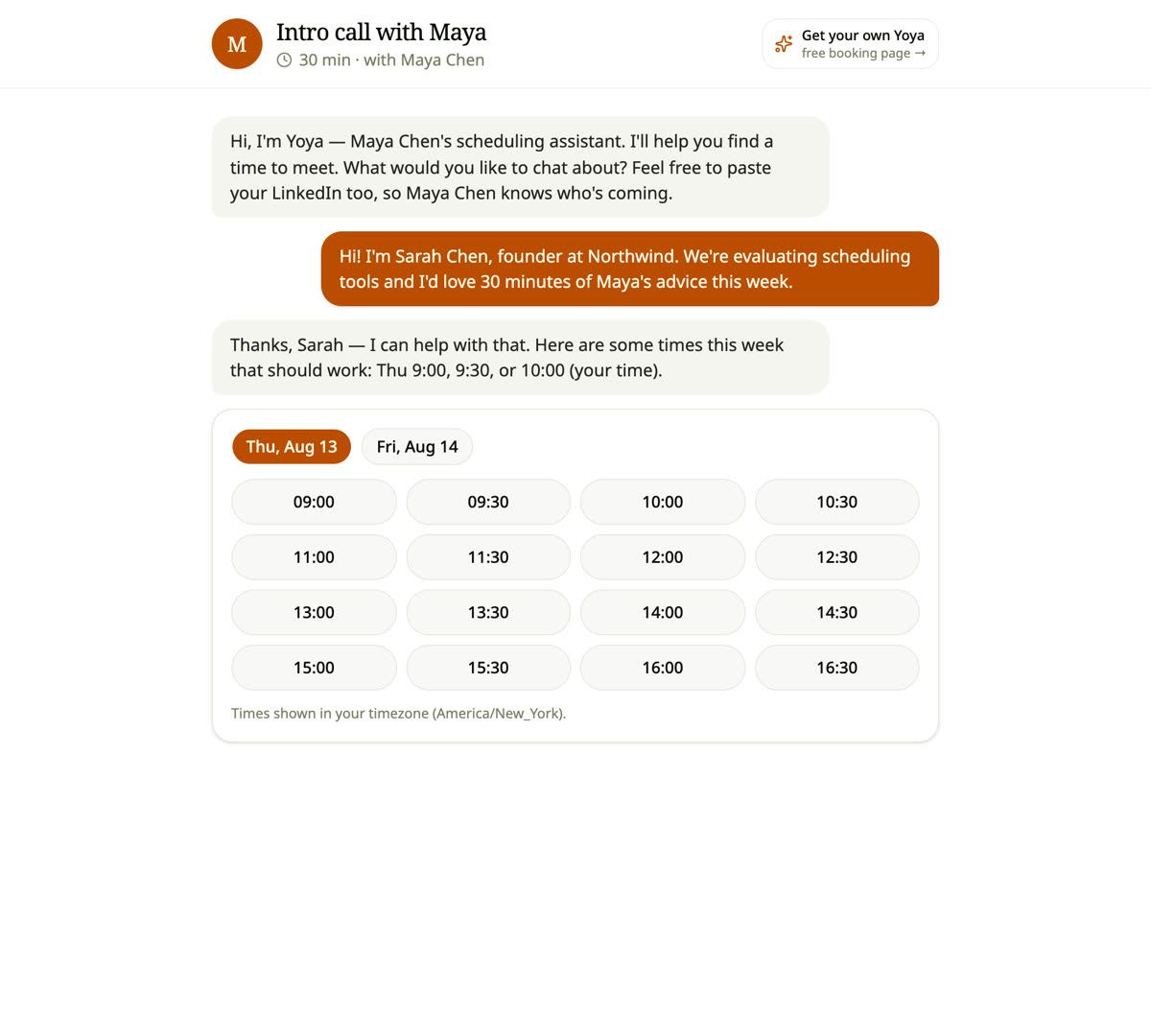
Agent-to-agent booking is narrower and more useful. The guest's agent calls a tool on the host's scheduler and receives structured data back — a list of open times as machine-readable identifiers, not a screenshot of a week. It picks one, calls another tool with the guest's name and email, and gets a confirmation with a meeting link. The meeting exists. Nobody opened a page.
The important part is what the agent is not trusted to do. It does not decide what "free" means. It cannot invent a time, because the only times it can reference are the identifiers the server just handed it, and the server re-checks the host's live calendar before it writes anything. An agent that hallucinates "Thursday at 3" gets a refusal, not a booking.
That distinction is the difference between a demo and something you would let touch your calendar. The agent is a client with a narrow, validated vocabulary. The scheduler stays the authority on availability, and it is the only thing that writes.
The two-server pattern
Scheduling has two very different audiences, and collapsing them into one endpoint is where most designs go wrong.
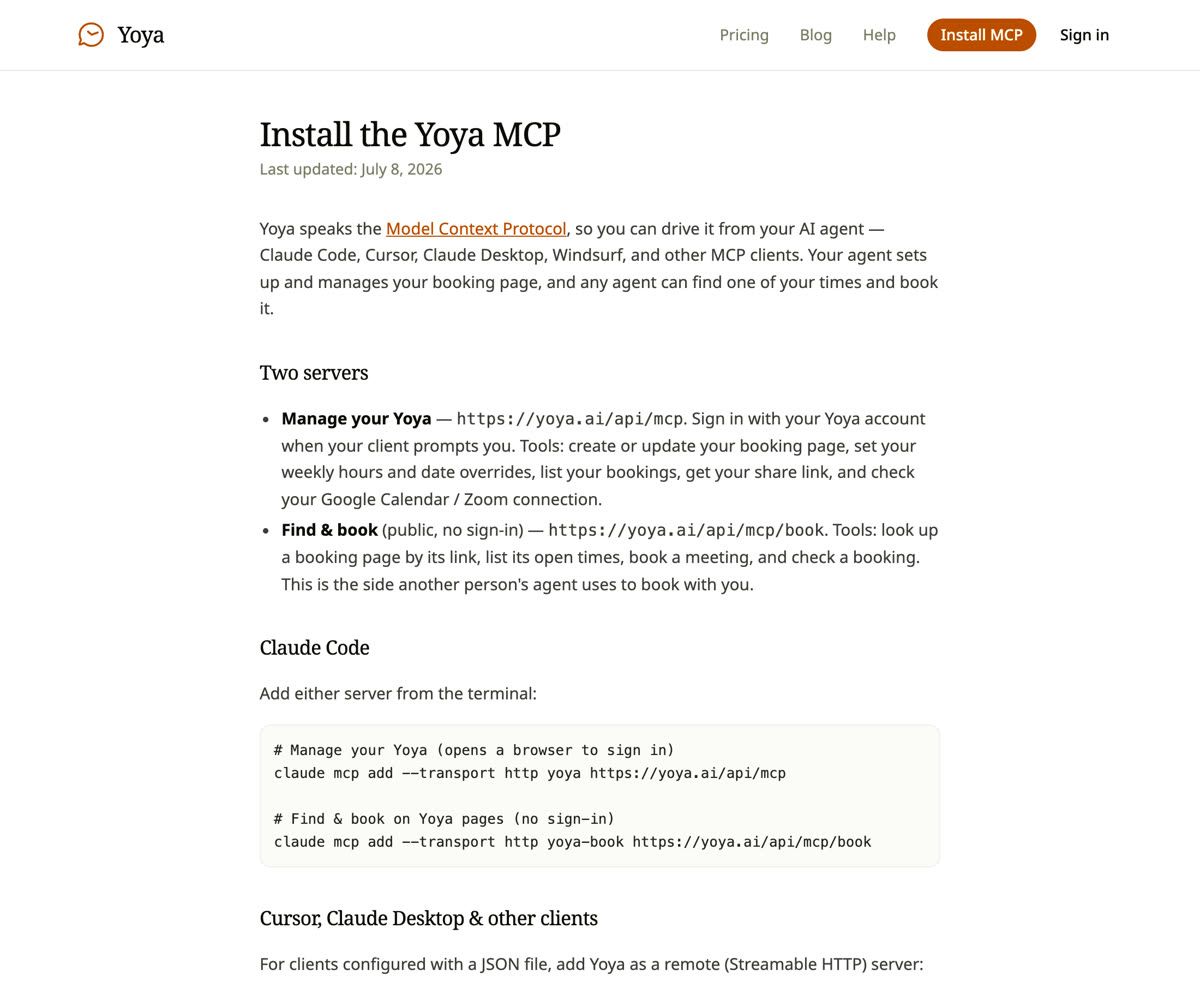
Managing your own calendar is a privileged operation. Creating a booking page, setting your weekly hours, adding date overrides for the weeks you travel, reading who has booked you — all of that is your data and needs your identity. Yoya's manage server sits at https://yoya.ai/api/mcp and authenticates over OAuth: the first time your agent calls a tool, your client opens a browser, you sign in, and from then on the agent acts as you. Its tools include create_booking_page, update_booking_page, set_weekly_hours, set_date_overrides, list_my_bookings, and get_share_link.
Booking with someone else is not privileged at all. It is the machine equivalent of visiting a public link. Requiring the guest to hold an account before their agent can ask "when are you free?" would make agent booking useless, because the whole point is that the guest is a stranger. So the booking server at https://yoya.ai/api/mcp/book needs no sign-in, and exposes exactly four tools: get_booking_page, list_available_times, book_meeting, get_booking.
Splitting them is a security decision as much as a design one. The public server can only ever do what a visitor to the public page could do. It cannot enumerate your bookings or move your hours, because those tools do not exist on it.
Adding a scheduling server to your agent
For Claude Code, each server is one line in the terminal:
claude mcp add --transport http yoya https://yoya.ai/api/mcp
claude mcp add --transport http yoya-book https://yoya.ai/api/mcp/book
For Cursor, Claude Desktop, Windsurf and other clients configured with JSON, both are remote Streamable HTTP servers and go in mcpServers with just a url. A client that does not yet speak remote MCP can bridge with mcp-remote.
What you get afterwards is worth being concrete about, because "your agent can now schedule" is vague. With the manage server connected, "set up a 30-minute coffee chat page, weekdays 2–7pm" becomes a real page at your own link, with hours set, without you opening a settings screen. With the booking server connected, "find a time with Maya this week and book it" becomes a real meeting.
The second one is the part that will feel strange the first time. You paste someone's link, your agent reads their open times, and thirty seconds later there is a calendar invite. The negotiation that used to take four emails happens in two tool calls.
Why the host's calendar has to stay the source of truth
The failure mode everyone worries about is an agent double-booking someone, and it is a reasonable worry. The defence is not politeness in the prompt. It is that the agent never holds the authority.
Every time Yoya lists open times, it recomputes them from the host's weekly rules, their date overrides, and a live read of their connected Google Calendar. Times the host is already busy never appear — not because they are filtered out of a cached list, but because they were never generated. Slot identifiers are anchored in UTC and expire from the list as reality changes, so a stale suggestion fails rather than lands.
When the booking is finally written, the server re-validates against a fresh calendar read and relies on a database constraint that makes two confirmed bookings in the same slot impossible even if two agents call at the same millisecond. One wins. The other gets slot_taken and can try again with a current list.
This matters more in an agent world than a human one. A person who sees a taken slot shrugs and picks another. Two agents racing at machine speed will find every gap in your logic in an afternoon.
Making your booking link agent-readable
If you are evaluating scheduling tools with agents in mind, or building your own, the checklist is short:
- Expose tools, not just HTML. A page an agent must scrape is a page that breaks the week you redesign it.
- Keep guest authentication appropriate to the workflow. Yoya’s public booking server does not require a guest account; its management server requires OAuth.
- Return concrete available slots and an explicit time zone. Yoya’s public MCP endpoint labels times in the host’s zone. The client should convert those times for the guest and pass the guest’s IANA time zone when booking.
- Use opaque, checkable identifiers. Never accept a free-text time from an agent. Accept an identifier you issued.
- Fail with reasons.
slot_taken,slot_unknown,quota_exceededare all recoverable if the agent is told which one happened; a generic error is not. - Keep the human path identical. The same page, the same availability, the same rules. Two code paths for humans and agents is two sets of bugs.
The through-line is that agent support is not a plugin bolted onto a booking page. It is the same product, exposed twice: once as pixels and once as tools, both reading the same availability.
What this changes about scheduling
The back-and-forth of scheduling was never really about calendars. It was about two people not being able to see each other's constraints, so they took turns guessing. Booking links fixed half of it — one side published their constraints, and the other picked.
Agent-to-agent booking closes the other half. Both sides can now hold constraints, and the negotiation happens between the two systems that actually know them. The person who wanted the meeting says what it is about; the agent handles the intersection.
What survives, and what still matters, is context. A time on a calendar with no idea who is coming or why is a meeting you will walk into cold. This is why Yoya writes a brief from the conversation regardless of who did the booking — a human typing, someone talking to it out loud, or an agent calling book_meeting with a purpose. The scheduling gets automated. The knowing-who-you-are-meeting does not go away; it gets attached to the invite.
Frequently Asked Questions
Can ChatGPT or Claude book a meeting for me?
They can if the scheduling tool exposes an MCP server and your client is connected to it. The model alone cannot book anything — it needs a tool to call. With Yoya's booking server added, an agent in Claude Code, Cursor, Claude Desktop or Windsurf can look up a page, list its open times and book one.
Does the person I'm booking with need to use the same tool?
They need a booking link that speaks MCP. Yoya hosts the page and the server together, so if someone shares a Yoya link, your agent can book on it. There is no requirement that you use Yoya yourself to book with someone who does.
Do I need an account for my agent to book with someone?
No. The booking server is public and unauthenticated by design, exactly like visiting the public link. You only need an account to own a booking page, and that side uses OAuth.
What stops an agent from double-booking me?
Availability is recomputed server-side on every request from your live calendar, agents can only reference identifiers the server issued, and a database constraint makes two confirmed bookings in one slot impossible. A racing agent gets a refusal it can recover from.
Can my agent set up my booking page too?
Yes, through the manage server. It can create and update pages, set weekly hours and date overrides, list your bookings and fetch your share link. In practice you describe the page you want and it exists a moment later.
Is MCP a standard or one company's protocol?
It is an open standard, published at modelcontextprotocol.io, with an open specification and SDKs. Any client that speaks it can talk to any server that speaks it, which is the entire point.
What happens if the agent books something wrong?
Every booking carries reschedule and cancel links, and appears in the host's dashboard. An agent booking is not a special class of booking — it is the same record, with the same escape hatches.
Try it
The fastest way to understand agent-to-agent booking is to do it once. Create a free Yoya page, add the booking server to your agent, and ask it to find a time on your own link — you will watch it list your real availability and put a real meeting on your real calendar.
Yoya is free to start: one booking link, ten bookings a month, no card, and every plan including the free one is bookable by an agent over MCP. The setup commands are on the Install MCP page, and the plans are on pricing.
If you want the background on why the conversation matters as much as the booking, read What Is Conversational Scheduling?.