4 No-Show Email Templates for Clients, Plus How to Prevent the Next One
The Yoya TeamOct 29, 20264 min read

When a client doesn't show up, the follow-up decides what happens next. A warm, short email often gets a quick apology and a rebooking. A cold one usually gets silence. The trick is to assume good faith the first time, make rebooking easy, and save the firmness for when it's earned.
Below are four no-show emails for different situations. Replace the bracketed fields before sending. To draft one from your own details, use Yoya's free no-show email generator.
1. A warm check-in after a first no-show
Subject: Sorry we missed you today
Hi [Name],
I was ready for our [topic] call at [time] today, but we didn't manage to connect. I hope everything is OK.
If you'd still like to talk, you can choose a new time here: [booking link].
No problem if your plans have changed. Just let me know either way.
Thanks,
[Your name]
Send it within a few hours. "I hope everything is OK" isn't filler: sometimes something really did happen, and a kind note makes it easy for the person to come back.
2. A firm note for a paid session
Subject: Missed session today at [time]: next steps
Hello [Name],
We had our [session type] scheduled today at [time], and I wasn't able to reach you.
To rebook, please choose a time here: [booking link].
As a reminder: [your policy, for example sessions cancelled with less than 24 hours' notice are charged in full].
Please let me know whether you'd like to reschedule.
Best regards,
[Your name]
State the policy exactly as you agreed it, in one sentence. If you decide to waive the fee this time, say so plainly instead of hinting.
3. A final message after repeated no-shows
Subject: Our [topic] sessions
Hi [Name],
We've missed the last [two] sessions we had booked, so I'm going to hold off on scheduling more for now.
If you'd like to pick things up again, reply to this email or book a time when it suits you: [booking link]. I'm happy to restart whenever you're ready.
All the best,
[Your name]
This closes the loop without a lecture and leaves the door open. It also frees the slots for clients who do turn up.
4. When a candidate misses an interview
Subject: Your interview for the [role] role today
Hi [Name],
We had your interview for the [role] role scheduled today at [time] ([time zone]), but we weren't able to connect.
If something came up and you're still interested, reply by [date] and we'll look at another time.
Best regards,
[Your name]
Check the time zone before you send this one. A candidate who joined an hour early or late isn't a no-show, and the email should give them a way back.
Write it with the free generator
Yoya's generator has two tones: a warm check-in, and a firm version for paid or repeated no-shows. Add the missed time, a rebooking link and, only if it applies, your policy.
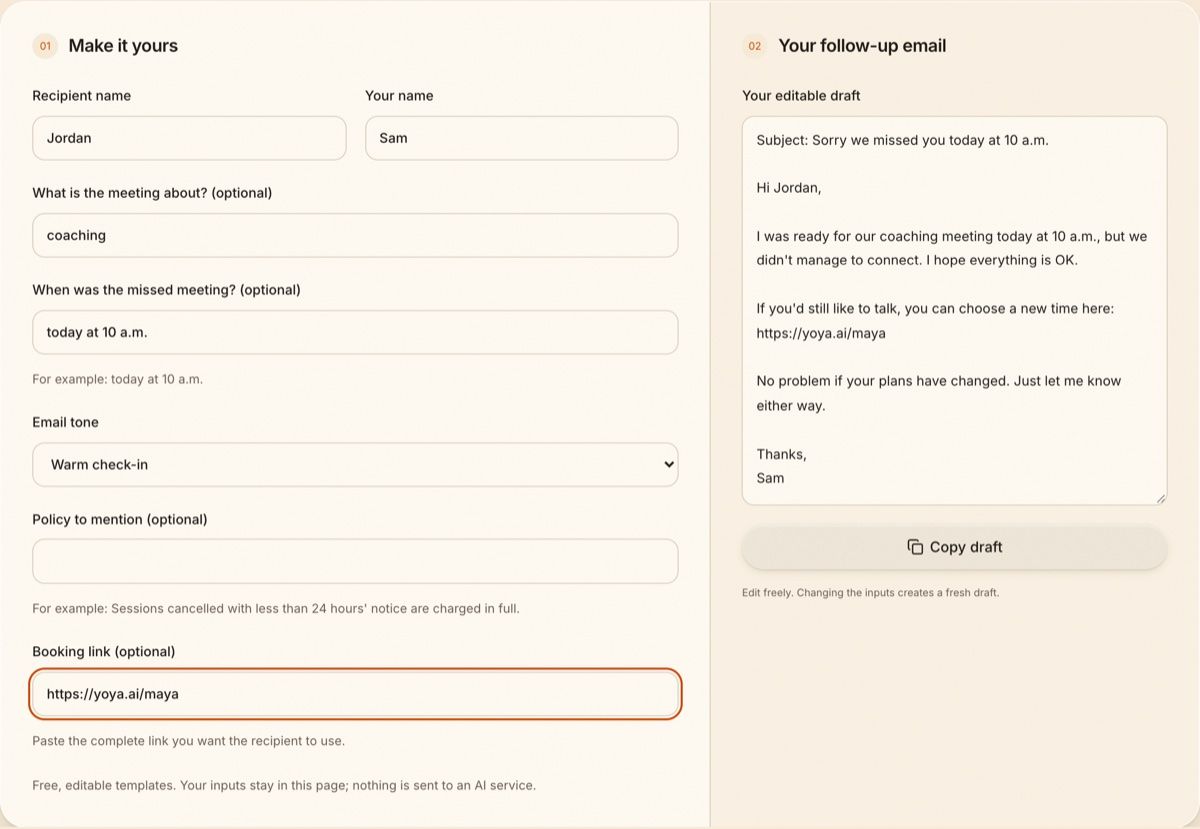
Switch to the firm tone and add a cancellation policy, and the same email becomes:
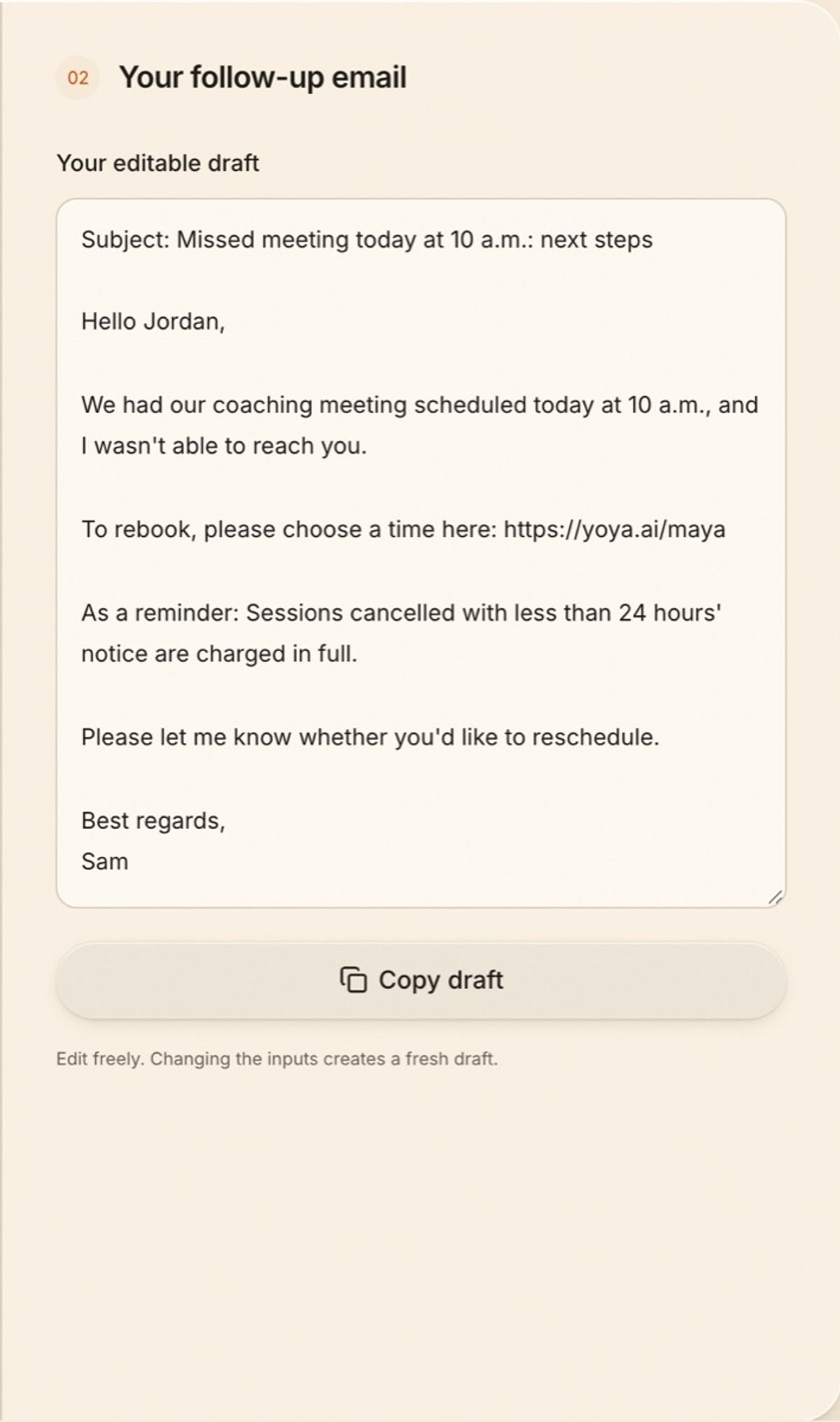
The policy only appears if you type one. The generator doesn't send email or charge anything; it produces a draft you copy.
How to reduce no-shows before they happen
Most no-shows aren't rudeness. People forget, get the time zone wrong, or can't find an easy way to cancel, so they do nothing. Each of those has a fix:
- Confirm straight away. A confirmation email with a calendar invite puts the meeting in their calendar, not just yours.
- Remind them close to the time. A reminder shortly before the meeting catches people who forgot.
- Make moving it easier than skipping it. A one-click reschedule or cancel link turns a silent no-show into a cancellation you can rebook.
- Show times in their time zone. Especially for clients and candidates abroad.
- Ask why they're booking. A guest who has explained what they want has a reason to turn up, and you can see which meetings are worth chasing.
Yoya does these by default. Guests get a confirmation with a calendar invite, a reminder email about ten minutes before the meeting, and a private link to reschedule or cancel. Times are shown in the guest's own time zone, and the booking happens in a short conversation where they explain what they need. You get that as a brief before the call. See how it works for coaches and consultants.
FAQ
What do you say when a client doesn't show up?
Say you were there, check they're OK, and give an easy way to rebook. For paid sessions, add your policy in one sentence.
How long should I wait before treating it as a no-show?
Ten to fifteen minutes is common. Send a short "I'm on the call" message at five minutes in case they're stuck on the wrong link.
Should I charge for a no-show?
Only if your policy says so and the client agreed to it in advance. Mention it plainly in the follow-up.
How do I stop clients from not showing up?
Send a confirmation and a reminder, include a reschedule link, show times in their time zone, and ask what they want from the meeting when they book.