Can ChatGPT or Claude schedule meetings for you? What works in 2026
The Yoya TeamOct 21, 20264 min read

The short answer: Yes for your own calendar, mostly no for anyone else's. Claude's Google Calendar connector can find free time and create events, and ChatGPT's Google and Microsoft calendar apps gained write actions in March 2026. Both work on your calendar. Neither can see the other person's calendar, so agreeing a time with someone outside your team still runs through their booking link. Whether your assistant can finish that booking depends on whether the link is built for agents.
Here's what each assistant can do today, and how to make the last step work.
What Claude can do with your calendar
Google's Google Calendar connector for Claude, listed since March 2026, covers most calendar chores. Its tools include search_events, list_events, suggest_time, create_event, update_event, delete_event and respond_to_event.
In practice you can ask Claude to:
- find a free hour this week that doesn't clash with anything
- put a focus block or a dinner on your calendar
- move an event, or accept or decline an invitation
- look over tomorrow's meetings and who's attending
Claude acts when you ask in a conversation. It doesn't watch your calendar in the background and start scheduling on its own.
What ChatGPT can do with your calendar
ChatGPT has been able to read Google Calendar in chat since the connector arrived in August 2025. On March 13, 2026, OpenAI's ChatGPT Business release notes added write actions to the Google and Microsoft apps, including setting up meetings through the calendar apps. An April 2026 update extended Outlook support to shared calendars.
Two details matter. Write actions are off by default in workspaces until an admin enables them under Workspace settings > Apps > Manage actions. And the notes describe the Business plan, so what you see on a personal plan may differ. If ChatGPT only reads your calendar, that's usually why.
What neither assistant can do
Scheduling with another person has two halves: knowing when they are free, and getting the meeting onto their calendar with their agreement. Your assistant can't do either from your account.
| Task | Claude | ChatGPT | What it needs |
|---|---|---|---|
| Find free time on your calendar | Yes | Yes, read access | Calendar connected |
| Create or move your own events | Yes | Yes, if write actions are on | Calendar connected |
| Send an invite to a colleague | Yes, as a calendar event | Yes, if write actions are on | You pick the time |
| Know when an outside guest is free | No | No | Their booking link |
| Book a slot on someone else's booking page | Only if the page is agent-bookable | Only if the page is agent-bookable | An MCP or API booking endpoint |
That last row is where most "AI, book me a call with Sam" requests stall. Sam's booking page is a time grid and a form. Some assistants can drive a browser and click through it. Many can't do it reliably, and you're left copying times back and forth by hand.
What the other person's booking link needs
For an assistant to finish a booking, the page has to offer the same steps in a form an agent can call: read the requirements, list open times, show a summary, and confirm. That's what an MCP booking server is.
Calendly now has an MCP server, but it acts for the signed-in Calendly owner, so it helps Sam manage Sam's calendar. It doesn't let your assistant book Sam.
Yoya's public booking server, https://yoya.ai/api/mcp/book, is built for the guest's side. No account, no sign-in. Your assistant reads the page, lists real open times from the host's calendar, previews the booking with you, and confirms only after you say yes.
Booking a Yoya host from Claude or Codex
If the person you want to meet uses Yoya, there's a button for this on their page. Choose Book with your AI, then Open in Claude or Open in Codex. The app opens with a ready-to-send prompt containing the public booking link and your time zone. Nothing from your conversation on the page is shared.
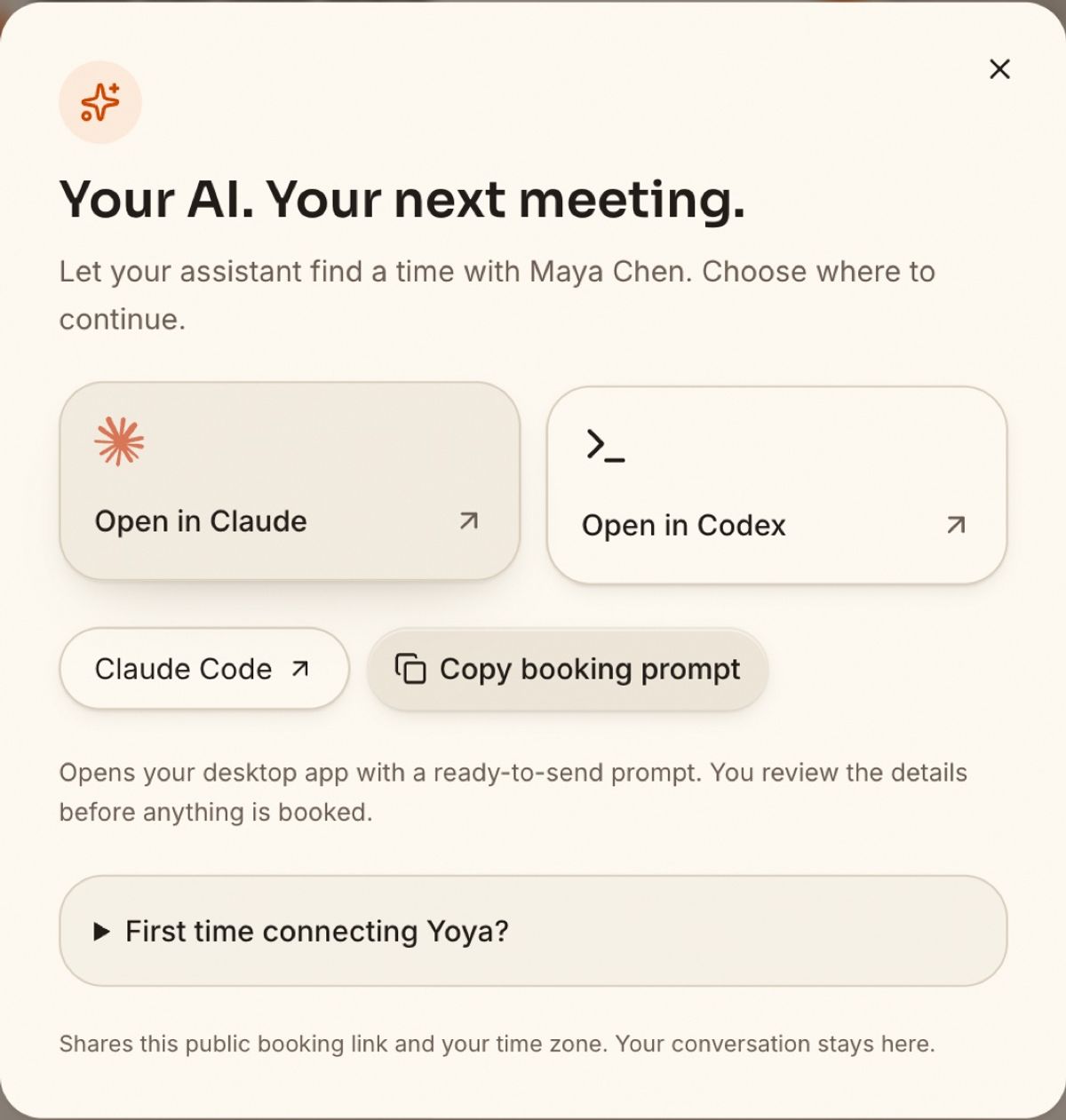
The first time, your assistant may ask to connect the Yoya booking server. After that:
- It reads the page and tells you what the host asks for, such as a LinkedIn profile or the topic.
- It lists open times in your time zone and asks which works.
- It shows the full summary. You confirm.
- You and the host get the calendar invite and meeting link.
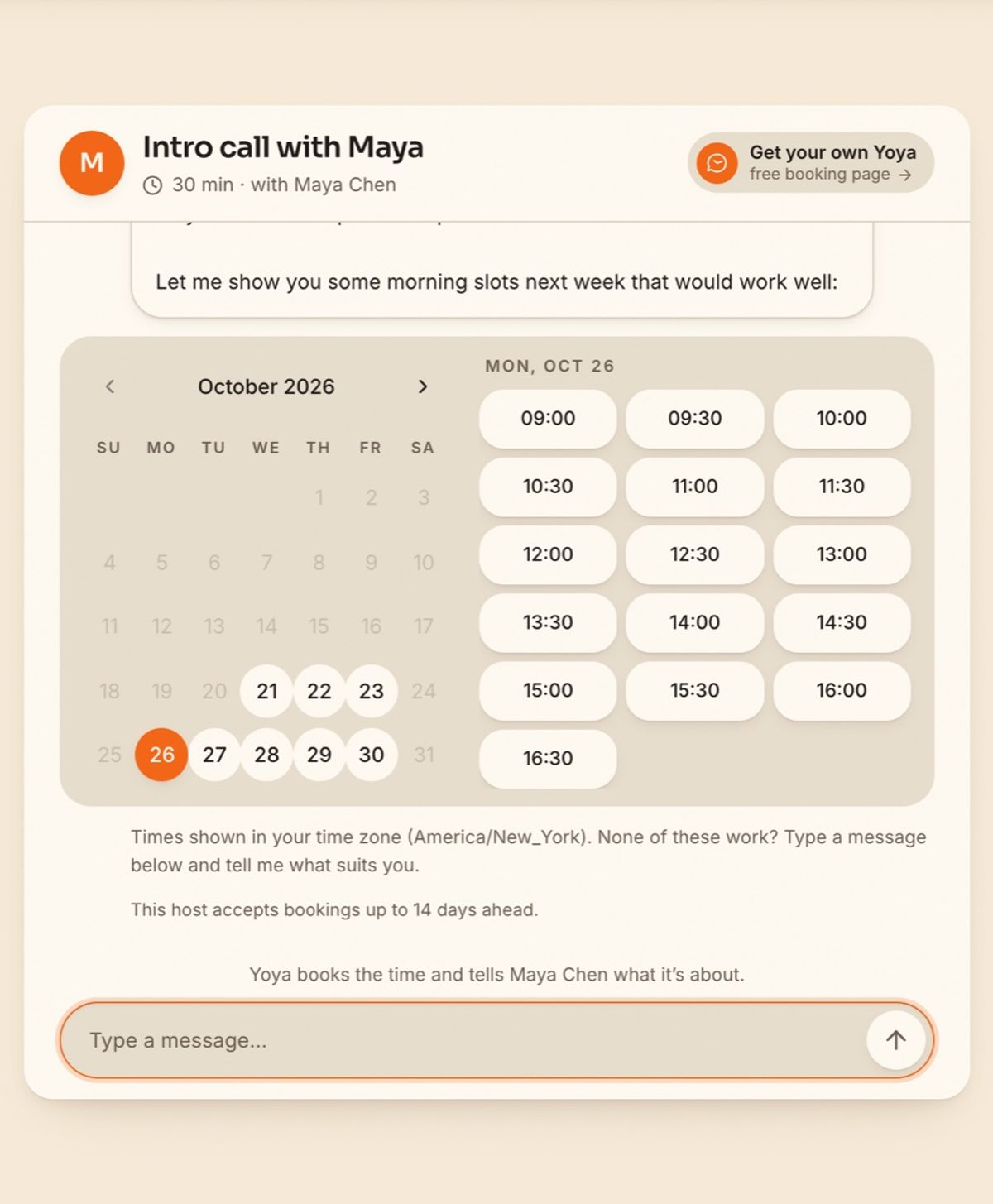
If you'd rather not use an assistant, the same page books in plain conversation. You tell Yoya what you need and she offers times from the host's real availability:
If you're the one being booked
Hosts can make their own link agent-bookable in a few minutes. Create a free Yoya page, connect Google Calendar so busy times are respected, and share the link as usual. People can book by chatting on the page, by voice on paid plans, or through their own assistant. Our MCP setup guide covers the host side, so your assistant can also change your hours and read the brief Yoya writes before each meeting.
For a step-by-step look at agent bookings, see how AI agents book meetings over MCP.
FAQ
Can ChatGPT schedule meetings in Google Calendar? It can create events through the Google app when write actions are enabled. In Business workspaces they're off until an admin turns them on.
Can Claude add events to my calendar? Yes, with Google's Calendar connector. It can create, update and delete events, suggest times and respond to invitations.
Can AI schedule meetings without any human input? Not with these consumer assistants. They act when you ask, and good booking flows show you a summary to confirm before anything is sent.
Can my assistant book time on someone's Calendly link? Only by driving a browser through the page, which is unreliable. Calendly's MCP server is for the account owner, not their guests.
Do I need a Yoya account to book a Yoya host with my AI? No. The guest booking server is public. You only confirm the details your assistant shows you.
Want people's assistants to be able to book you? Make a free Yoya page.