Cancel Meeting Email: 5 Samples to Copy (Polite, Short Notice)
The Yoya TeamNov 16, 20264 min read

A good cancellation email says in the first line that the meeting is canceled, names which meeting, apologizes once, and tells the reader what happens next. Send it as early as you can. A short email now is better than a careful one an hour before the start.
Copy the samples below and replace the bracketed fields. If you want to move the meeting instead of dropping it, Yoya's free reschedule meeting email generator drafts that email for you.
1. A standard cancellation
Subject: Canceled: [meeting name] on [day, date]
Hi [Name],
I need to cancel our [topic] meeting on [day, date] at [time, time zone]. I'm sorry for the change.
[One short reason, or leave this line out.]
If it would still help to talk, I'm glad to find a new time. Otherwise, I'll send a short update by email.
Thanks for understanding,
[Your name]
Say "cancel" in the first sentence. Softer wording like "we may need to revisit our plans" leaves people unsure whether to show up.
2. Canceling on short notice
Subject: Canceling today's [topic] meeting
Hi [Name],
I'm sorry for the short notice, but I have to cancel our [topic] meeting at [time] today. [Something urgent has come up.]
I know you set the time aside, and I apologize for the disruption. I'll email you by [day] with new times.
Thank you for your patience,
[Your name]
When it's the same day, send the email first and also remove or update the calendar event. For anything starting within the hour, add a text or a call.
3. Canceling because of low attendance
Subject: [Meeting name] on [date] is canceled
Hi all,
Several people can't make [meeting name] on [day, date], so I'm canceling it instead of meeting without them.
I'll share [the notes / the update] by email today. If anything needs a decision before [date], reply here and we'll handle it in this thread.
Thanks,
[Your name]
Tell people where the work goes instead. A canceled meeting with no next step usually comes back as a longer one.
4. Canceling as the guest
Subject: Unable to attend [meeting name] on [date]
Hi [Name],
I'm sorry, but I can no longer attend [meeting name] on [day, date] at [time, time zone].
If it helps, I can send my input by email beforehand, or join another time. Please let me know which you'd prefer.
Apologies for the change,
[Your name]
If you were invited, tell the organizer directly instead of only declining the calendar invite. Declines are easy to miss, especially for small meetings.
5. A formal cancellation to a client
Subject: Cancellation of our meeting on [date]
Hello [Name],
I regret to inform you that I need to cancel our meeting scheduled for [day, date] at [time, time zone].
I apologize for the inconvenience. If you would like to rebook, you can choose a new time here: [booking link], or reply with times that suit you.
Thank you for your understanding.
Best regards,
[Your name]
With a client, make rebooking as easy as possible. A link or two specific times shows the cancellation is about the date, not the relationship.
What subject line should I use?
- Canceled: budget review on Tuesday, November 17
- Canceling today's 3 p.m. call
- Weekly sync on November 20 is canceled
- Unable to attend Thursday's planning meeting
- Cancellation of our meeting on November 19
Put "Canceled" or "Canceling" and the meeting name in the subject. Some people will only see the notification, and that needs to be enough to keep them from joining.
Cancel or postpone?
Cancel when the meeting is no longer needed. Postpone or reschedule when the conversation still has to happen, just not on that day. If you already know the new time, skip the cancellation and send one email that moves it.
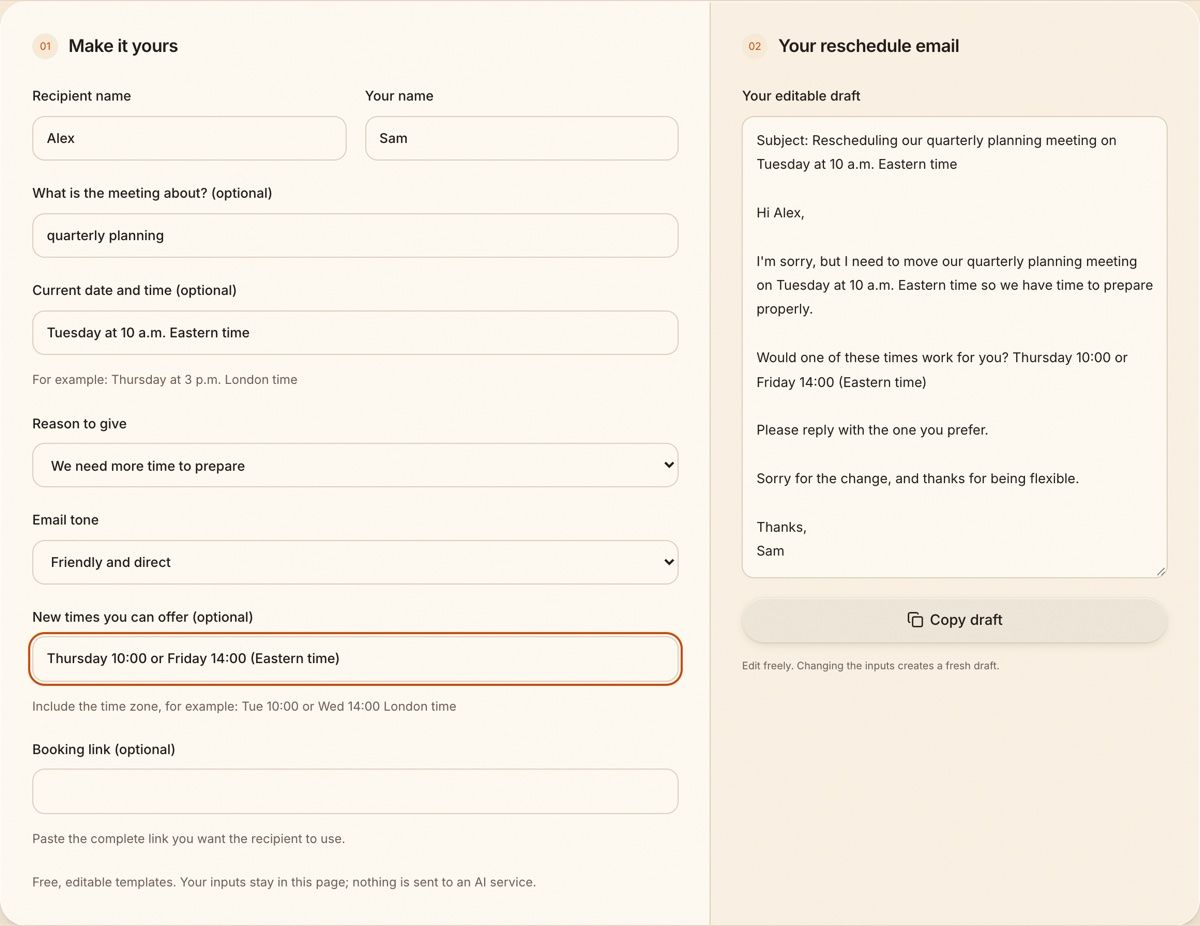
The generator asks for the meeting, the current time and, if you want to give one, a reason:
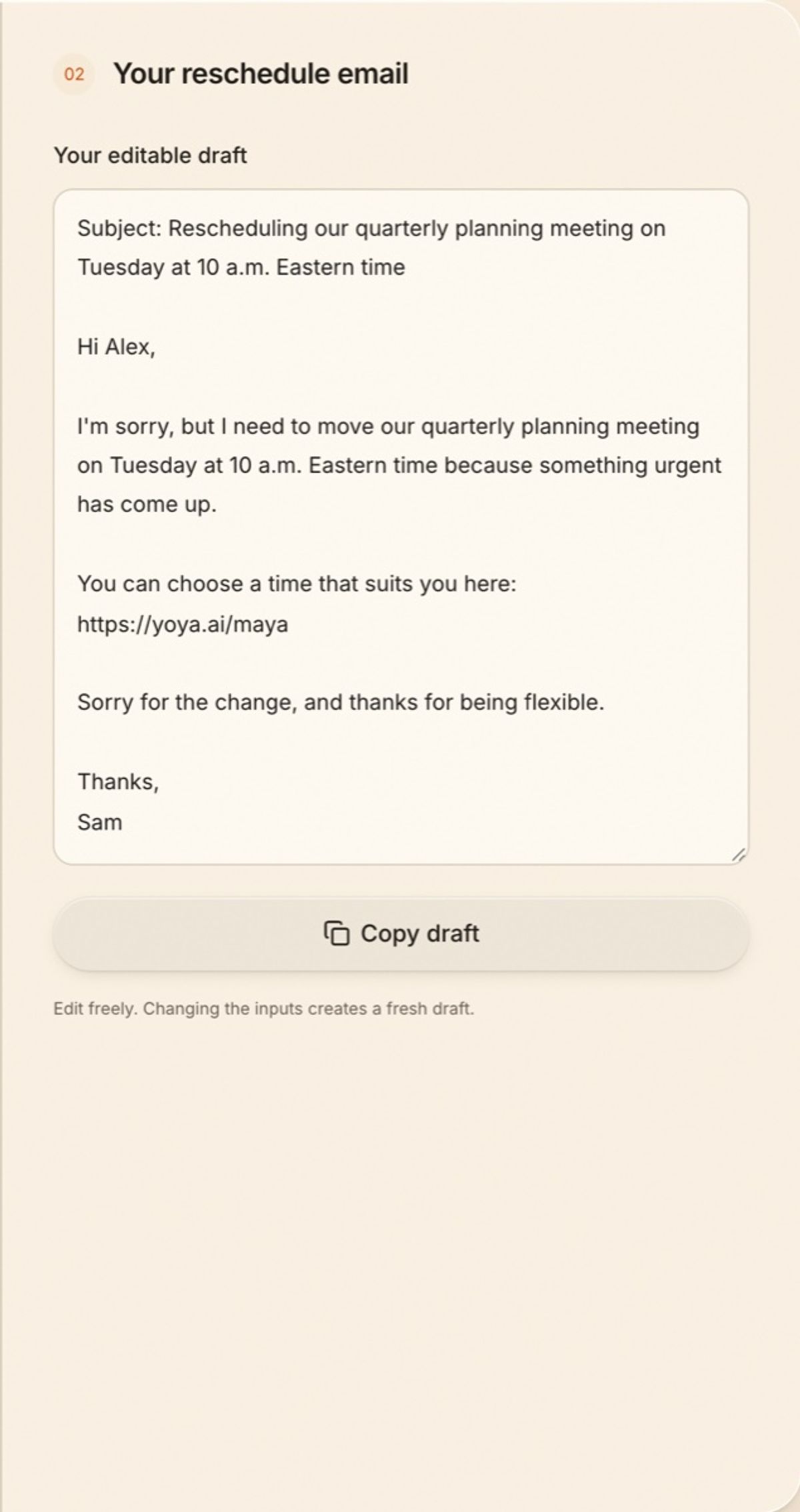
Add a booking link instead of times, and the other person picks the new slot:
For more wording, see these reschedule meeting email templates, or draft your own with the reschedule meeting email generator.
When guests can cancel on their own
A lot of cancellation emails, and a lot of no-shows, happen because the guest had no easy way to cancel. Every booking made through Yoya comes with a confirmation, a calendar invite, and the guest's own link to reschedule or cancel. They can free up the slot without writing to you. If someone doesn't cancel and doesn't appear, these no-show email templates cover the follow-up.
FAQ
How do you politely cancel a meeting by email?
Say clearly that the meeting is canceled, name the meeting and its time, apologize once, and offer a next step such as a new time or an update by email. Keep it to a few lines.
Do I need to give a reason for canceling?
No. A short, honest reason can help, but "I need to cancel" is enough. Don't invent one.
How much notice should I give when canceling a meeting?
As much as possible, and at least a day for meetings with clients or people outside your company. If it's the same day, send the email right away and follow up by phone or text when the meeting is close.