Meeting Reminder Email: 5 Templates to Copy (Friendly Samples)
The Yoya TeamNov 16, 20264 min read
A good meeting reminder email is short and complete. It gives the day, the time with a time zone, and the link or address, and it tells the reader what to do if they can't make it. It should sound like a helpful note, not a warning.
Copy the templates below and replace the bracketed fields. A reminder won't catch everyone, so if someone still misses the meeting, Yoya's free no-show email generator drafts the follow-up.
1. A friendly reminder the day before
Subject: Reminder: [topic] tomorrow at [time, time zone]
Hi [Name],
Just a friendly reminder that we're meeting tomorrow, [day, date], at [time, time zone] to talk about [topic].
Here's the link to join: [video link].
If the time no longer works, let me know today and we'll find another one.
Looking forward to it,
[Your name]
The day before is the most useful time to send a reminder. It's close enough to matter and early enough for the other person to move the meeting if they need to.
2. A reminder one hour before
Subject: Starting in an hour: [topic]
Hi [Name],
A quick reminder that we're meeting at [time, time zone] today, about an hour from now.
Join here: [video link]
See you soon,
[Your name]
Keep this one to three lines with the link near the top. An hour before, nobody wants to scroll for it.
3. An appointment reminder message
Subject: Your appointment tomorrow at [time]
Hi [Name], this is a reminder of your [type of appointment] with [provider or business name] on [day, date] at [time].
Where: [address or video link]
Need to reschedule or cancel? Use this link: [link], or call [phone number].
See you then.
This version is short enough to work as a text message too. Always include a way to reschedule or cancel. People who can't find one often just don't show up.
4. A reminder to a client, with the agenda
Subject: Reminder: our meeting on [day, date] at [time, time zone]
Hello [Name],
I'm looking forward to our meeting on [day, date] at [time, time zone]. A quick reminder of the details:
Location: [address or video link]
Agenda: [two or three points]
To prepare: [anything they should review or bring]
If you'd like to add anything to the agenda, please let me know before the meeting.
Best regards,
[Your name]
For a client, add something useful to the reminder, such as the agenda or a document to review. It reads as preparation instead of a nudge.
5. A reminder for a team meeting
Subject: Reminder: [meeting name] on [day] at [time]
Hi all,
A reminder that [meeting name] is on [day, date] at [time, time zone] in [room or video link].
We'll cover: [agenda items]
Please [add your updates to the shared doc / review the attached notes] before we start. If you can't attend, tell me by [time] so we can plan around it.
Thanks,
[Your name]
Ask for one specific thing before the meeting. A reminder with a small task gets read. One that only repeats the calendar invite gets skipped.
What subject line should I use?
- Reminder: budget review tomorrow at 10 a.m. ET
- Friendly reminder: our call on Thursday at 2 p.m.
- Starting in an hour: design review
- Your appointment tomorrow at 9:30 a.m.
- Reminder: team planning on Monday at 11 a.m.
Start with "Reminder" and put the day and time in the subject. Many people will only read the subject line, and that should be enough. Use "tomorrow" or "today" when it's true, because relative words get noticed faster than a date.
Reminders you don't have to send
Reminders are easy to write and easy to forget. If people book time with you often, it's safer to have them sent automatically. That way the reminder goes out even on the days you're in back-to-back calls.
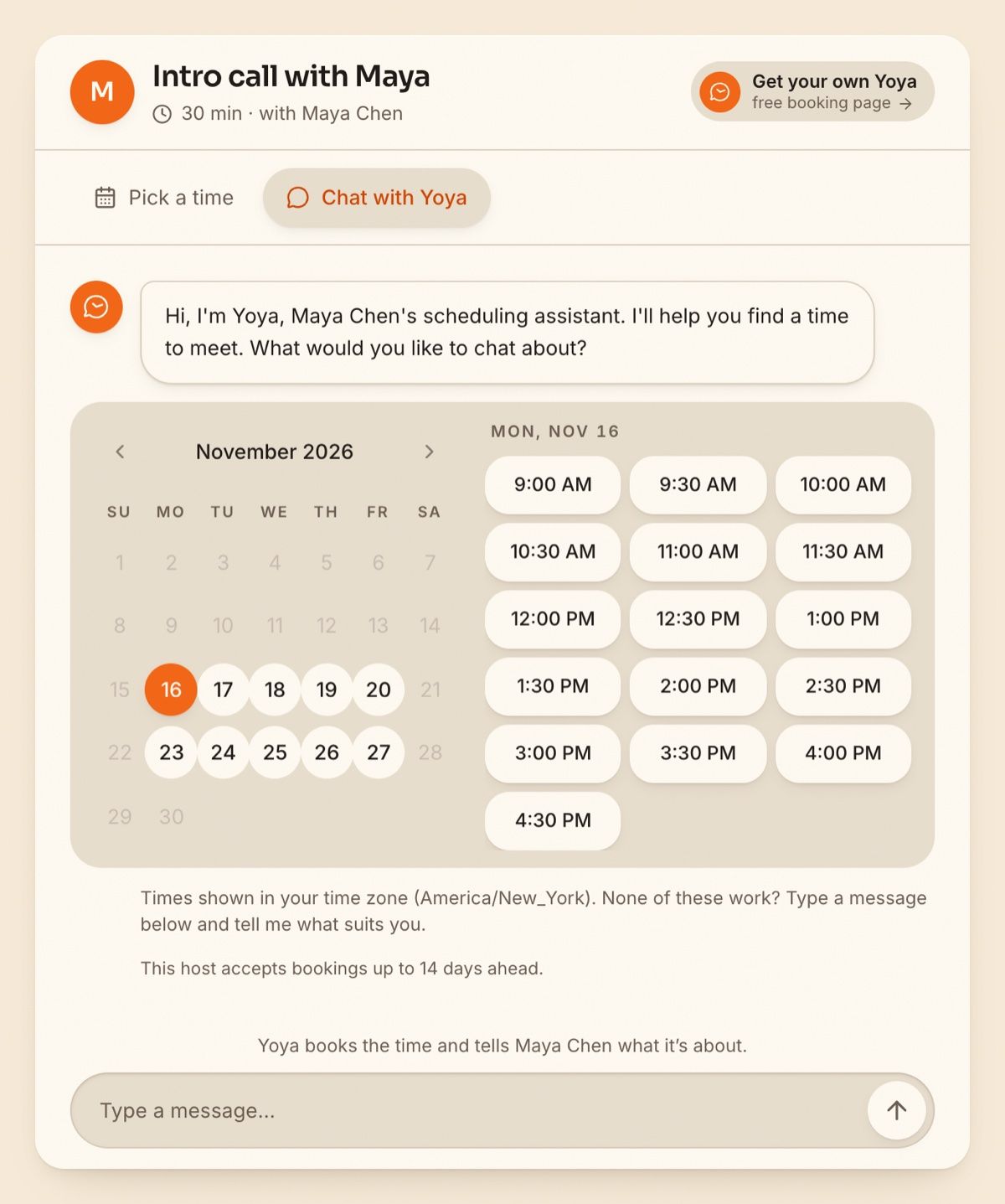
When a guest books through a Yoya page, by picking a time or by chatting with the assistant, Yoya sends the confirmation with a calendar invite and then sends reminder emails before the meeting. The guest also gets their own link to reschedule or cancel.
If someone misses the meeting anyway, follow up the same day. The generator below turns a few details into a warm check-in with a link to rebook:
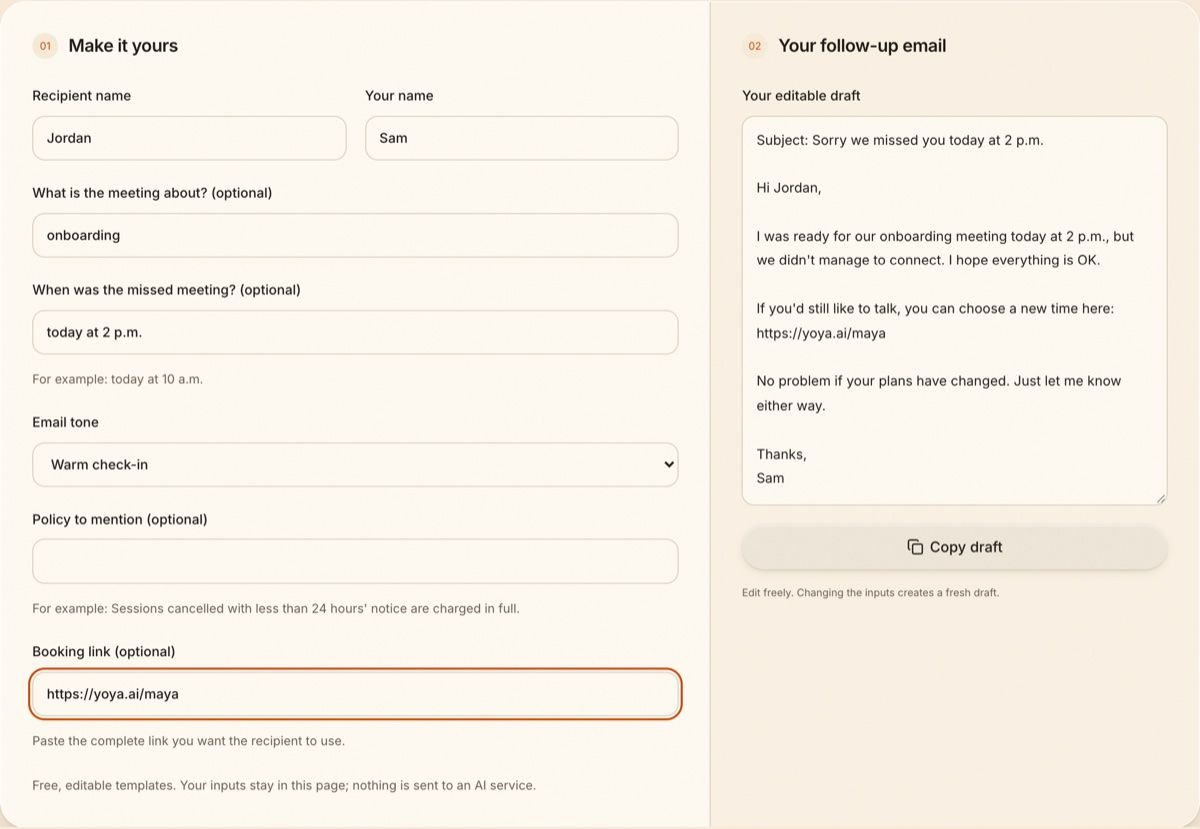
You can use the free no-show email generator for that message, or copy one of these no-show email templates. To confirm a meeting in the first place, see these meeting confirmation email samples.
FAQ
How do you write a friendly reminder email for a meeting?
Open with "Just a friendly reminder," give the day, time and time zone, add the link or address, and say what to do if the time no longer works. Keep it under five lines.
When should I send a meeting reminder?
Send one the day before, so there's still time to reschedule. For video calls, a second short reminder an hour or less before the start helps. More than two reminders is usually too many.
What should a meeting reminder include?
The meeting name or topic, the date, the time with a time zone, where or how to join, anything to prepare, and how to reschedule or cancel.