Meeting Confirmation Email: 5 Samples to Copy (With Replies)
The Yoya TeamNov 16, 20264 min read

A good meeting confirmation email repeats the details both sides agreed on: the date, the time with a time zone, how long it will take, and where or how you'll meet. It should be short enough to read in ten seconds and complete enough that nobody has to search an old thread on the day.
Copy the samples below and replace the bracketed fields. If the meeting isn't agreed yet, start one step earlier with Yoya's free meeting invitation email generator, or see these meeting request email templates.
1. A standard meeting confirmation
Subject: Confirmed: [topic] on [day, date] at [time, time zone]
Hi [Name],
This is to confirm our meeting about [topic] on [day, date] at [time, time zone]. It should take about [30 minutes].
We'll meet on [Zoom / Google Meet / phone]: [link or number].
If anything changes, just reply to this email.
See you then,
[Your name]
Put the date and time in the subject line too. People search their inbox for the meeting, and the subject is what they see first.
2. A confirmation to a client
Subject: Confirmation of our meeting on [date]
Hello [Name],
Thank you for making the time. I'm writing to confirm our meeting on [date] at [time, time zone].
Location: [address or video link]
Attendees: [names]
Agenda: [two or three points]
Please let me know if you'd like to add anything to the agenda. I look forward to speaking with you.
Best regards,
[Your name]
With a client, list the agenda and who is joining. It shows the meeting has a purpose and gives them a chance to bring the right people.
3. A reply confirming you'll attend
Subject: Re: [original subject]
Hi [Name],
Thank you for the invitation. I'm confirming that I'll attend on [day, date] at [time, time zone].
Is there anything you'd like me to prepare or bring?
Best,
[Your name]
Repeat the day and time in your reply, even though it's in the thread above. If either of you has the wrong time, this is where it gets caught.
4. An appointment confirmation
Subject: Your appointment on [date] at [time]
Hi [Name],
Your [type of appointment] with [provider or business name] is confirmed for [day, date] at [time].
Where: [address, or video link]
Please arrive [10 minutes] early and bring [anything they need].
Need to change it? [Reschedule or cancel link], or call us at [phone number].
Thank you,
[Business name]
An appointment confirmation should always say how to change or cancel. Without that, people who can't make it tend to just not show up.
5. Asking someone to confirm
Subject: Are we still on for [day] at [time]?
Hi [Name],
I wanted to check that [day, date] at [time, time zone] still works for our [topic] meeting.
Could you reply to confirm? If the time no longer suits you, send me two or three alternatives and I'll move it.
Thanks,
[Your name]
Send this a day or two before meetings that were arranged weeks ago. If you only need to nudge, not ask, use one of these meeting reminder email templates instead.
How to reply to a confirmation email
Hi [Name],
Thanks for confirming. [Day] at [time, time zone] works for me, and I have the link.
See you then,
[Your name]
A one-line reply is enough. Its only job is to tell the sender the details reached you and the time is right.
What subject line should I use?
- Confirmed: project kickoff on Tuesday, November 17 at 2 p.m. ET
- Confirmation of our meeting on November 17
- Your appointment on Friday at 9:30 a.m.
- Meeting confirmed: Thursday at 11 a.m. PT
- Are we still on for Wednesday at 3 p.m.?
Lead with "Confirmed" or "Confirmation" and include the day and time. A subject like "Meeting" or "Quick note" gives the reader nothing to scan for later.
When the confirmation sends itself
Writing a confirmation by hand makes sense for a meeting arranged over email. For meetings people book with you, the confirmation should not depend on you remembering to send it.
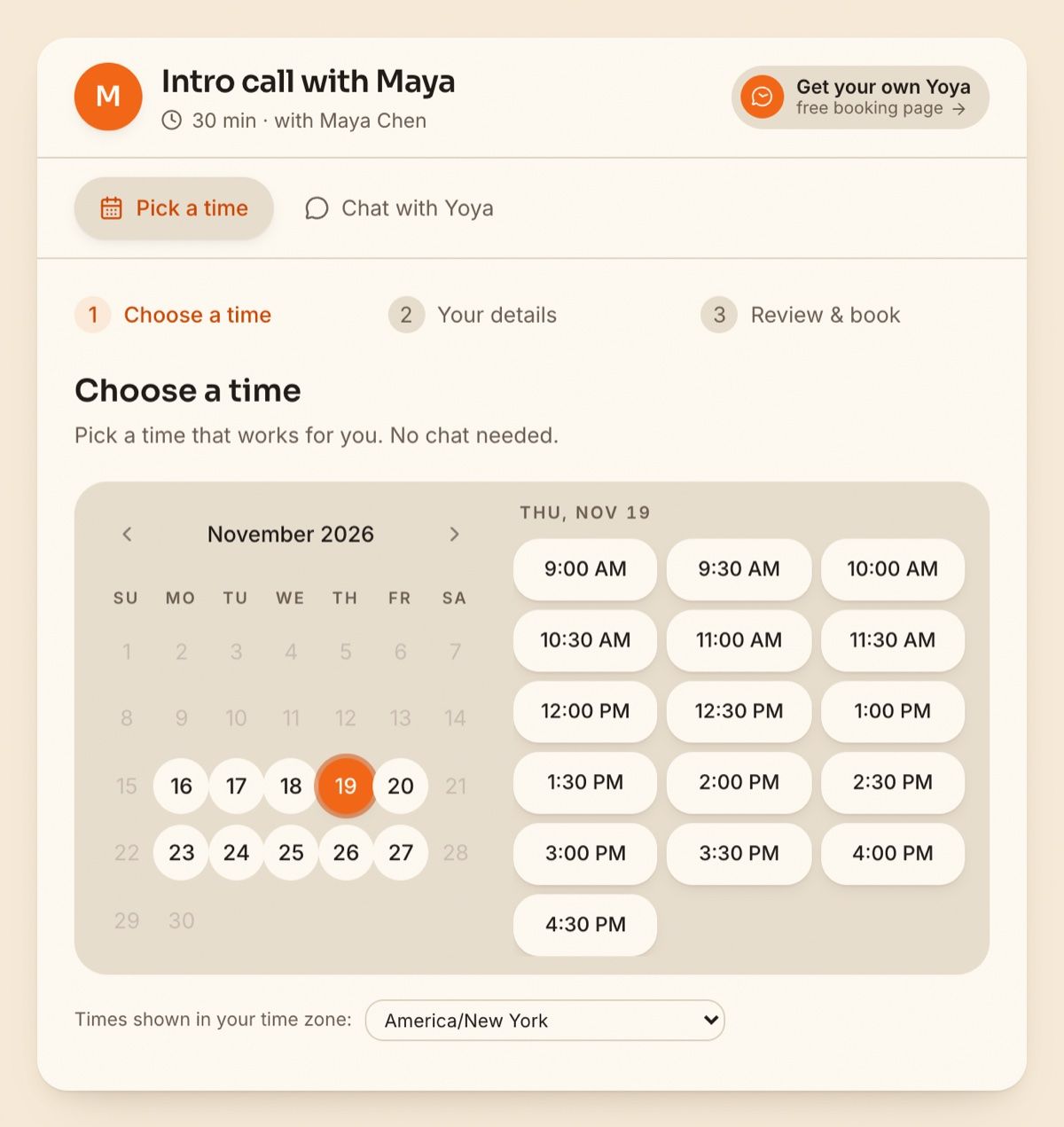
On a Yoya booking page, the guest picks a time from your real availability, shown in their own time zone:
They add their details and review everything before the time is booked:
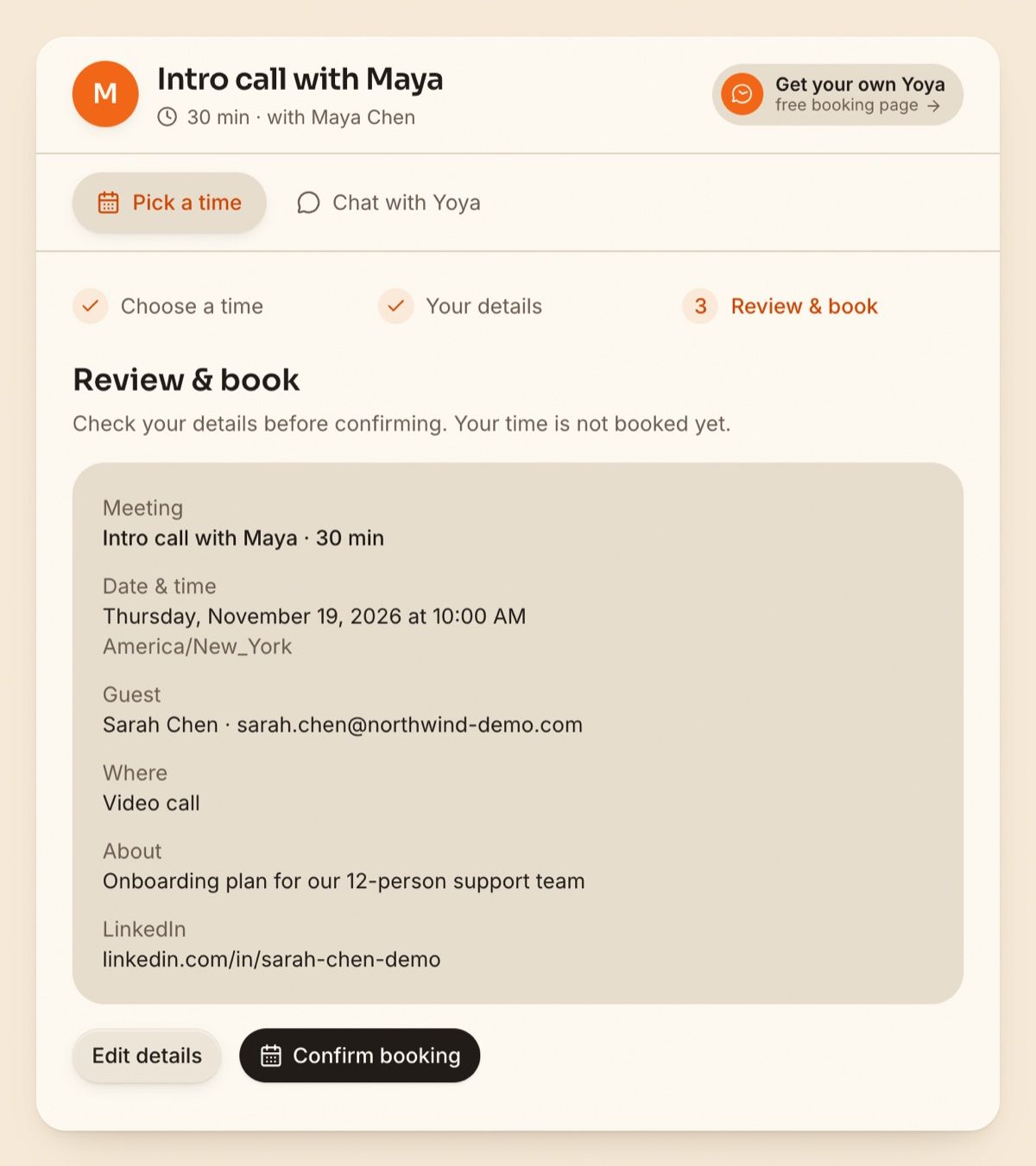
When the guest confirms, Yoya sends the confirmation email with a calendar invite, then sends reminder emails before the meeting. The guest also gets their own link to reschedule or cancel, so a change of plans doesn't turn into an email thread.
If a meeting you confirmed by hand has to move, the free reschedule meeting email generator drafts that message, and there are more examples in these reschedule meeting email templates.
FAQ
How do you write a meeting confirmation email?
State that the meeting is confirmed, then give the date, the time with a time zone, the length, and the location or video link. Add how to reach you if something changes. Three to five lines is enough.
How do I reply to confirm a meeting?
Thank the sender, say you'll attend, and repeat the day and time. For example: "Thank you for the invitation. I'm confirming that I'll attend on Tuesday at 2 p.m. ET."
When should I send a meeting confirmation?
As soon as the time is agreed, while the details are fresh. For meetings set more than a week ahead, send a short reminder the day before as well.