5 Interview Scheduling Email Templates, From Phone Screen to Final Round
The Yoya TeamOct 29, 20265 min read

An interview scheduling email has one job: get the candidate into the right interview at a time that works, without five emails to agree on it. It should name the role and the stage, say how long it lasts and how it happens, and make choosing a time obvious.
The templates below cover the usual stages. Replace the bracketed fields, and always give times with a time zone. To build one from your own details, use Yoya's free interview scheduling email generator.
1. Phone screen with a booking link
Subject: Phone screen for the [role] role at [company]
Hi [Name],
Thanks for applying for the [role] role at [company]. We'd like to start with a 20-minute phone call to talk about your experience and answer your questions about the role.
You can choose a time that suits you here: [booking link]. We'll call you on the number you shared with us.
If you need any adjustments for the interview, just let me know.
Looking forward to speaking with you,
[Your name]
A booking link works best at this stage, when you're screening many people at once. It saves each candidate a round of email and lets them pick a time in their own time zone.
2. Video interview with specific times
Subject: Video interview for the [role] role at [company]
Hi [Name],
We enjoyed your phone screen and would like to invite you to a 45-minute video interview with [interviewer name], [interviewer title].
Would one of these times work for you? [Tuesday 3 November, 10:00] or [Wednesday 4 November, 14:00] ([time zone]).
Please reply with the one you prefer and we'll send the calendar invite and video link.
Thanks,
[Your name]
Offering two or three times is often easier when a specific interviewer's calendar is tight. Name the interviewer so the candidate can look them up.
3. Technical or panel interview
Subject: Technical interview for the [role] role: please choose a time
Hi [Name],
Thanks for your time so far. The next step is a 60-minute technical interview with [names]. We'll [work through a problem together / review a piece of your past work]. You don't need to prepare anything beyond [specific item].
You can choose a time here: [booking link]. If none of the times suit you, reply with two or three options and your time zone.
If you need any adjustments, such as extra time or a different format, let me know and we'll arrange it.
Best,
[Your name]
Say what the interview involves. "Technical interview" means very different things at different companies, and candidates prepare better when they know.
4. Final or on-site interview
Subject: Final interview for the [role] role at [company]
Dear [Name],
Thank you for your time throughout the process. We would like to invite you to a final interview of about [90 minutes] at our office, [address], with [names and titles].
Would [date and time] or [date and time] ([time zone]) suit you? We'll send directions and the visitor details with the calendar invite.
Please let me know if you require any adjustments for the visit.
Kind regards,
[Your name]
For an in-person interview, the logistics matter more than the wording: address, who to ask for at reception, and how long to plan for.
5. Confirming the time the candidate chose
Subject: Confirmed: [stage] for the [role] role on [date] at [time and time zone]
Hi [Name],
Thanks for choosing a time. You're booked for [date] at [time] ([time zone]) with [names].
[Join here: video link / We'll call you on: number / Our address: address]
If anything changes, you can reschedule here: [link], or reply to this email.
See you then,
[Your name]
If your scheduling tool sends confirmations automatically, you don't need this one. If it doesn't, send it as soon as the time is agreed.
How a candidate can reply to an interview invitation
Candidates search for this too, so it's worth knowing what a good reply looks like:
Hi [Name],
Thank you for the invitation. [Wednesday 4 November at 14:00 London time] works well for me. I look forward to speaking with [interviewer].
Best regards,
[Candidate name]
Write it with the free generator
Yoya's generator covers all four stages. Enter the candidate's name, the role and company, the stage and length, and whether it's a video call, a phone call or in person. Add times you can offer, a booking link, or both.
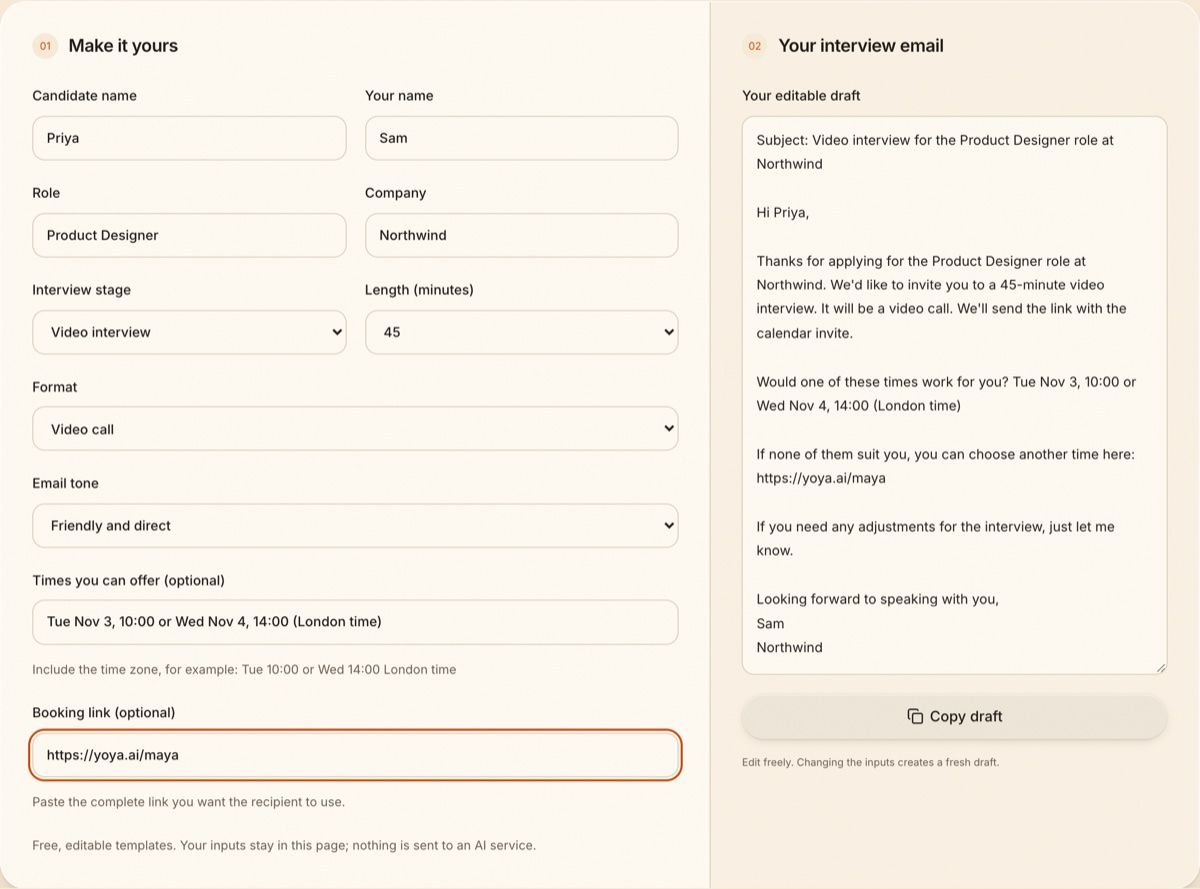
Switch the tone to Formal for a more traditional email. Here the same candidate is invited to a final interview at the office:
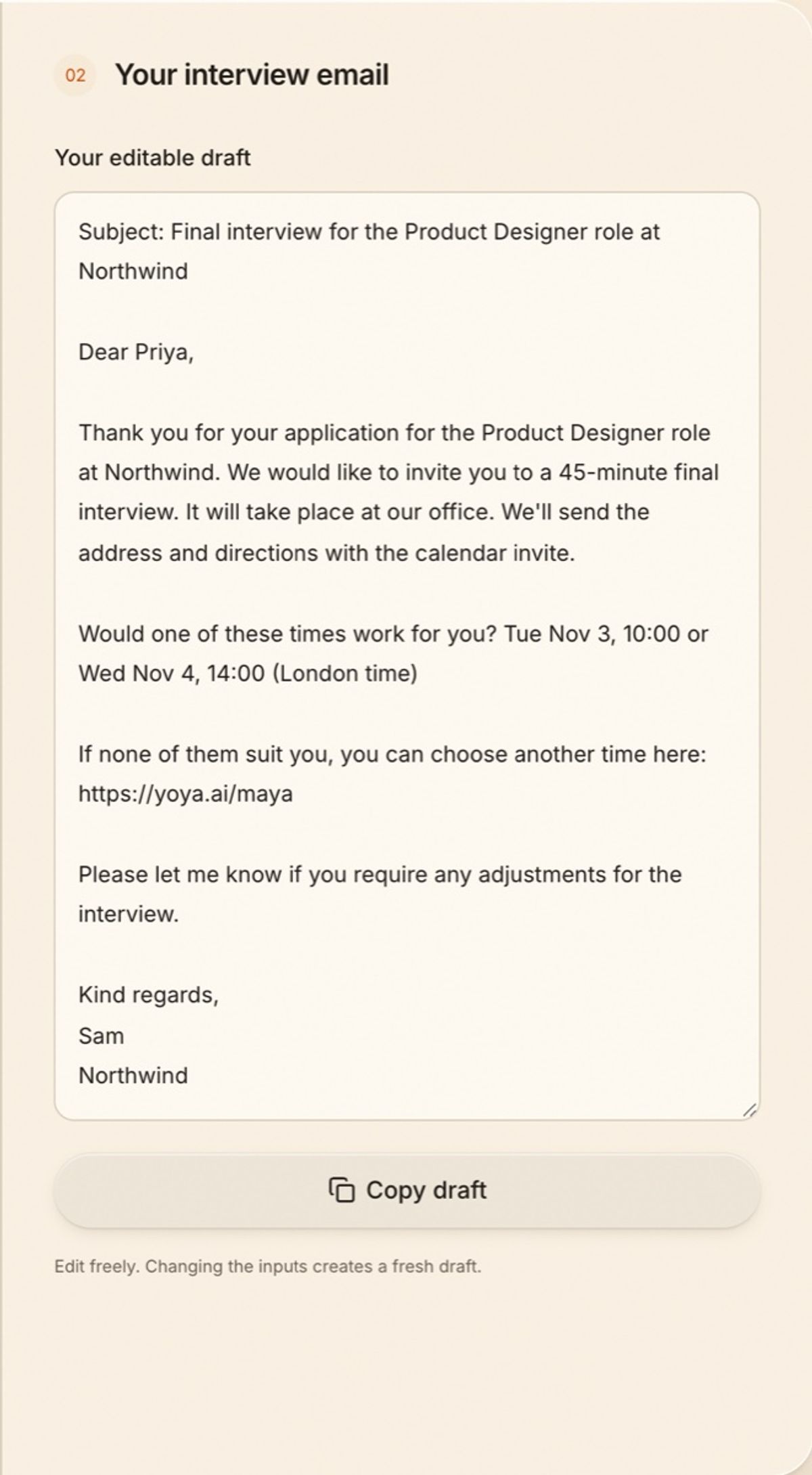
If you leave both the times and the link blank, the email asks the candidate for two or three times in their time zone. It never fills in a date for you.
Five checks before you send
- Time zone on every time. "10:00" alone causes missed interviews. Write "10:00 London time" or use a time zone meeting planner for candidates abroad.
- Who they'll meet. Names and titles help candidates prepare and feel expected.
- The format and the link. Video, phone or in person, and when the link or address arrives.
- Adjustments. One line offering adjustments is standard and easy to include.
- A way to move it. A reschedule link or "reply to this email" prevents silent no-shows.
When scheduling interviews takes over your week
At volume, the back-and-forth becomes the job. A booking link helps, but most links only collect a name and an email. With a Yoya booking page for recruiting, candidates book through a short conversation in their own language and time zone. Yoya asks for what you require, such as a LinkedIn profile, and gives you a brief on each candidate before the call.
FAQ
What should an interview scheduling email include?
The role and stage, the length, the format (video, phone or in person), who the candidate will meet, and how to choose a time, with a time zone.
Should I send specific times or a booking link?
Specific times suit a single interviewer with a tight calendar. A booking link suits screening many candidates, or candidates in other time zones.
How long before the interview should I send the invitation?
Give at least two or three working days' notice where you can, so candidates can arrange time off or a quiet place to talk.
Is there a free interview scheduling email generator?
Yes. Yoya's generator is free and needs no signup. It uses templates, does not send email and does not use an AI service.