Yoya vs. World Time Buddy vs. timeanddate: Meeting Planners Compared
The Yoya TeamSep 13, 20263 min read

A time that works in New York and London can change when the clocks move. Before you send an invitation, choose the actual meeting date, check everyone's working hours, and allow enough overlap for the whole call.
For two to four supported cities, Yoya's free time zone meeting planner is a useful starting point: enter working hours and a duration to find suitable start times. World Time Buddy is useful for scanning local times side by side. timeanddate offers a date-and-location timetable with more detailed planning controls.
This guide is published by Yoya. We checked our tool and the other products' public documentation on September 13, 2026.
Which planner fits your meeting?
| Planner | Useful when you want to… | What to keep in mind |
|---|---|---|
| Yoya | Find a 15-, 30-, 45-, or 60-minute window inside the working hours you enter | Supports two to four cities from 15 locations; does not read participants' calendars or public holidays |
| World Time Buddy | Compare city clocks on a visual timeline and select a time to share | Its selected local times still need to be checked against the participants' commitments |
| timeanddate | Build a date-specific timetable and inspect corresponding local times | A timetable helps choose a time; participants still need to confirm availability |
World Time Buddy's current interface includes calendar export and sharing options. timeanddate documents color-coded local times, adjustable intervals, and ICS export. Those are useful alternatives if they fit the way you already plan calls. Sources: World Time Buddy and timeanddate's planner guide.
Our recommendation is to start with the information you have. If you know everyone's working hours and need a full-length slot, try Yoya. If you mainly want to scan the time elsewhere, start with World Time Buddy. If a city is outside Yoya's supported list, use a planner that includes it rather than substituting a city with a similar name or a guessed offset.
Plan a 30-minute call across New York, London, and Berlin
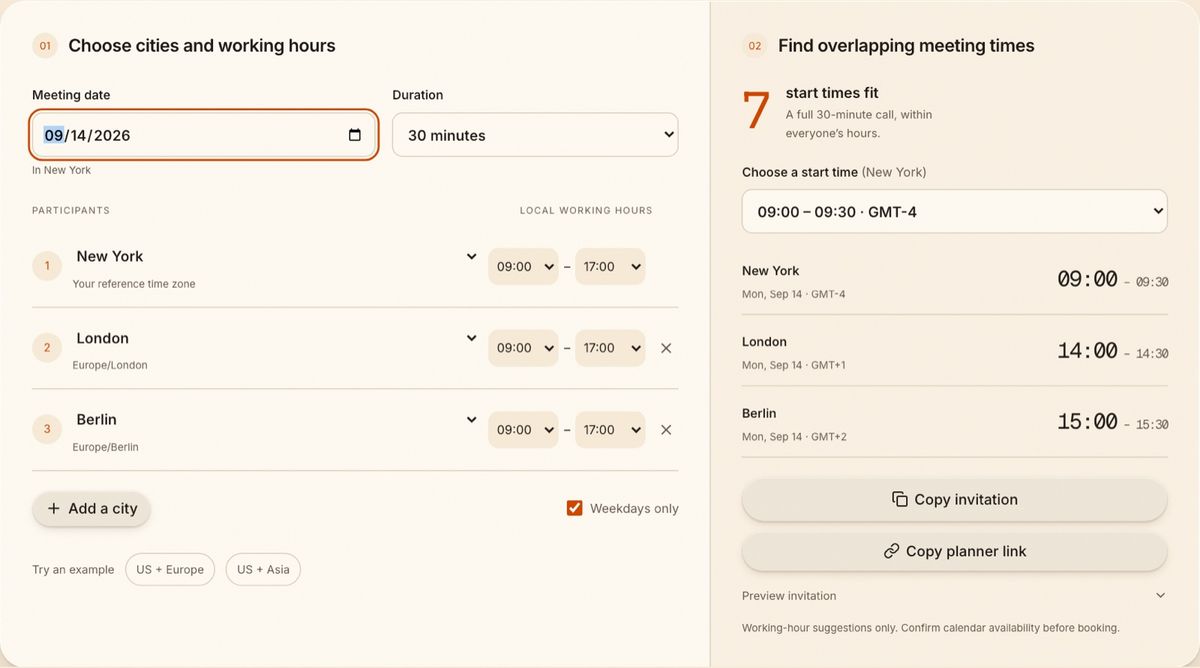
Here is a worked example for September 14, 2026, assuming everyone works from 09:00 to 17:00 locally:
| City | Start | End |
|---|---|---|
| New York | 09:00 | 09:30 |
| London | 14:00 | 14:30 |
| Berlin | 15:00 | 15:30 |
The call fits all three working days. At 11:00 in New York, however, it would be 17:00 in Berlin. A 30-minute call would finish after the Berlin participant's entered working hours. Checking only the starting time misses that problem.
To try it, choose New York, London, and Berlin, set the date to September 14, 2026, and select 30 minutes. Keep each working day at 09:00–17:00, then choose 09:00 in New York from the suggested start times.
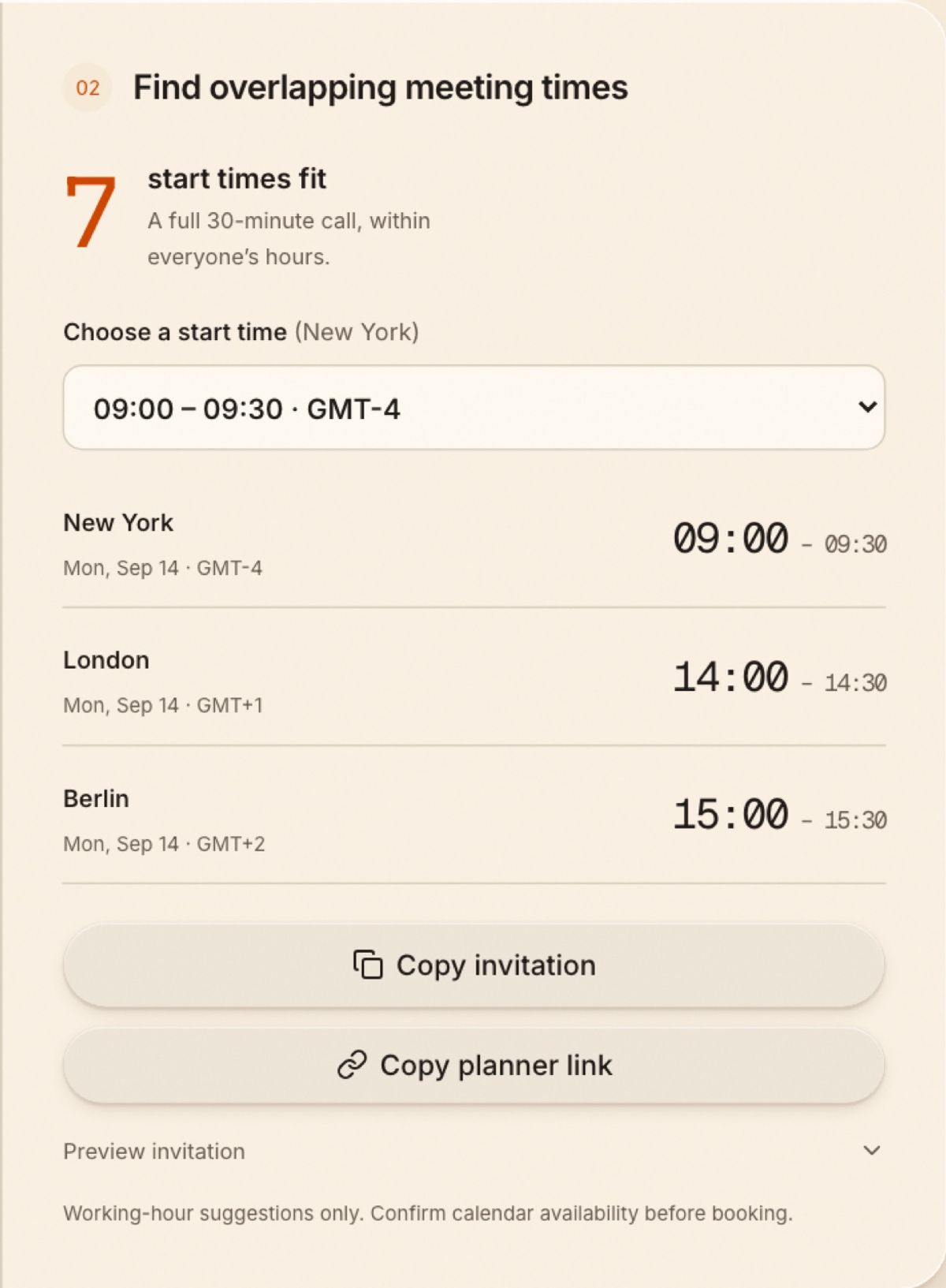
The result gives you a time to propose. Confirm that the participants are free before sending the invitation.
Check the date when daylight saving time changes
On March 16, 2026, 09:00 in New York is 13:00 in London. On March 30, it is 14:00 in London. The dates fall on opposite sides of the UK's seasonal clock change, while New York has already changed.
Named zones such as America/New_York and Europe/London let software apply the rules for the selected date. A note saying “London is five hours ahead” cannot do that. The examples here were calculated using those named zones; they aren't year-round conversions.
For recurring meetings, check dates around clock changes. If one person repeatedly has to attend outside working hours, discuss rotating the inconvenience or replacing some calls with written updates.
Turn the candidate time into an invitation
Once everyone agrees, use the meeting invitation email generator to write the purpose, duration, and next step. For an event whose time is already fixed, the add-to-calendar generator produces a Google Calendar link or an ICS download.
If clients should choose from your available times instead, use a booking page. Yoya for consultants combines a scheduling conversation with a brief for the host. That is a different job from comparing several cities' working hours.
Common questions
Does a time zone planner check whether someone is busy?
Yoya's free planner does not connect to calendars. Its suggestions fit the working hours you enter. Confirm personal commitments separately.
Can I use abbreviations such as CST?
Choose the city or named time zone. Abbreviations can be ambiguous, and fixed offsets can become wrong after seasonal clock changes.
Should I use an event link or a booking link?
Use an event link when the time is decided. Use a booking link when the guest needs to choose a time. The calendar-link comparison explains what happens after someone opens each kind.