4 Meeting Invitation Email Templates for Client Calls
The Yoya TeamSep 13, 20264 min read

A meeting invitation should explain why you want to meet, how long you need, and what the recipient should do next. If the time is fixed, include the date and time zone. If it isn't, ask for availability or offer a booking link.
Use these four templates when the recipient already has a reason to hear from you. Replace the bracketed fields before sending. For a draft built from your own details, use Yoya's free meeting invitation email generator.
1. A first consulting conversation
Subject: A short call about [project or problem]
Hi [Name],
Thanks for getting in touch about [specific issue]. Would a 30-minute conversation help us work out what you need and whether I can help?
We can cover how you're handling this today, what's getting in the way, and a possible next step.
You can choose a time here: [booking link]. If you'd rather suggest a couple of times, please include your time zone.
Best,
[Your name]
Keep the promise modest. A first call can clarify fit; it doesn't need to promise a complete solution. The discovery call agenda provides a matching 30-minute outline.
2. A project review with an existing client
Subject: Review [deliverable] and agree on the next step
Hi [Name],
[Deliverable] is ready for review: [link]. Could we set aside 30 minutes to discuss the open questions and agree on any changes?
Please take a look beforehand, especially [specific section]. I'll bring the options for [decision].
Choose a time here: [booking link], or reply with two times that work for you and your time zone.
Thanks,
[Your name]
Link to the actual material. “Let's catch up” makes the recipient guess whether they need to prepare and whether the right people are invited.
3. A customer interview
Subject: Could we learn about how you handle [task]?
Hi [Name],
We're trying to understand how people handle [task]. Would you be open to a 30-minute conversation about your experience?
I'd like to hear about a recent example, what you tried, and what was difficult. This is a research conversation rather than a product demo. There's nothing you need to prepare.
If you're interested, you can choose a time here: [booking link]. You're also welcome to reply with any questions first.
Thank you,
[Your name]
Only use the research wording if that is genuinely the purpose. If you plan to record, explain that separately and obtain the participant's agreement; a scheduling email alone isn't consent to recording.
4. A call whose time is already agreed
Subject: Confirming [topic] on [date] at [time and time zone]
Hi [Name],
Confirming our [duration]-minute call about [topic] on [full date] at [time and time zone].
Join here: [meeting link]. We'll cover [topic one] and [topic two], then agree on [decision or next step].
[Optional: Save the event to your calendar: event link.]
Please reply if any of the details need to change.
See you then,
[Your name]
A calendar-save link is useful here because the time is decided. It does not send a formal invitation or confirm attendance. Create one with the add-to-calendar link generator, or send an invitation through your calendar app when you need RSVP handling.
Which tool should you use to write the invitation?
Calendly has a useful collection of invitation templates that connects email wording to its scheduling workflow. With Yoya's free generator, enter your details and choose a friendly or formal tone to get a draft you can edit. The tool uses templates and doesn't send email.
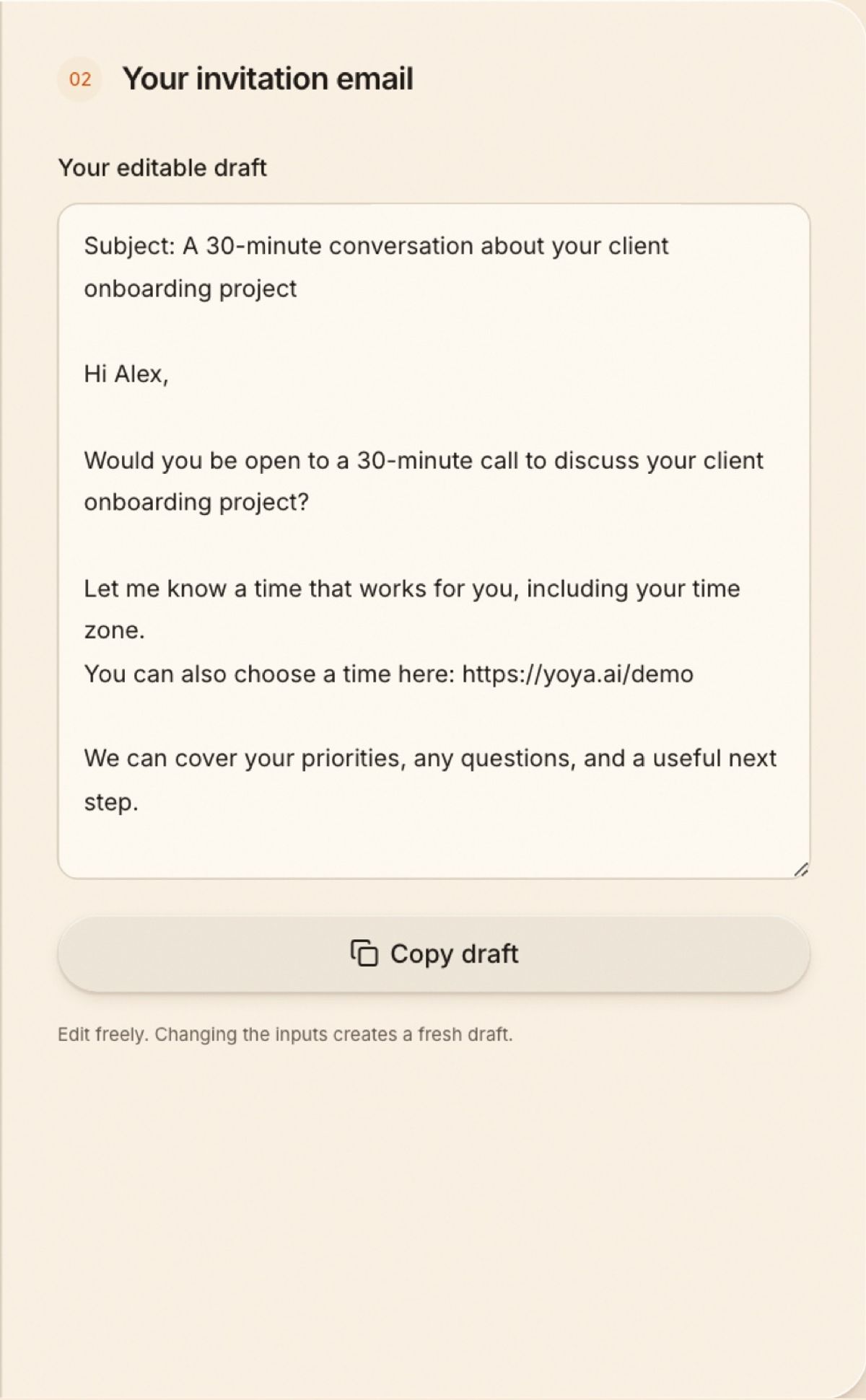
In this example, Sam is inviting Alex to discuss a client onboarding project. The names and project are sample inputs; replace the demo booking link with your own before sending.
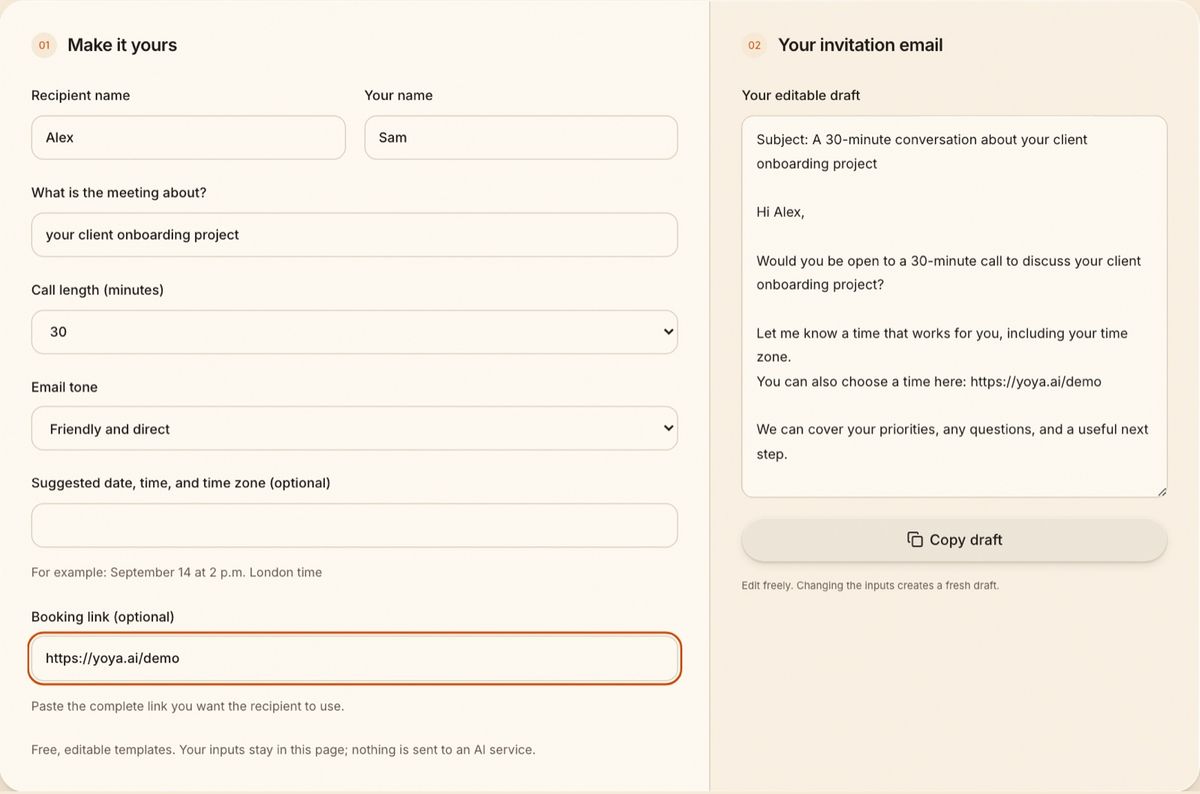
If you already use Calendly, keep using your existing booking link in the email. Yoya's generator accepts other scheduling links too. If you also want guests to explain their needs as they book, Yoya for agencies shows how the scheduling conversation can prepare the host for the call.
Check the invitation before sending
Read the next step on its own. Can the recipient tell whether to reply, choose a time, or join an already scheduled call? Make the next step easy to find.
For international meetings, check the date in a time zone meeting planner. Use an unambiguous city or named zone rather than “my time.” Remove unused placeholders and check that the linked document or meeting room is accessible to the recipient.
Should I include a booking link in the first email?
You can offer it as a convenient option. Give enough context for the recipient to decide whether the meeting is worth their time, and leave room for a reply.
Does generating an email also send a calendar invitation?
No. Yoya's free tool produces text to copy. Sending an email, sending a calendar invitation, and reserving a slot are separate actions.