Meeting Agenda Email: 5 Templates and Subject Lines
The Yoya TeamNov 22, 20264 min read
Need one written for your own meeting? The free Meeting Agenda Email Generator drafts it from your details. No signup.
A meeting agenda email tells people three things before they show up: what the meeting is for, what will be covered in what order, and what they should read or bring. Send it a day ahead for a routine meeting and two or three days ahead for anything where a decision is expected.
The test of a good agenda is whether someone could skip the meeting and still know what was supposed to happen in it. If you'd like the numbering and details laid out for you, Yoya's free meeting agenda email generator turns a list of topics into a ready-to-send email.
1. A team meeting agenda
Subject: Agenda: [meeting name] on [day] at [time]
Hi team,
Here's the agenda for [meeting name] on [day, date] at [time, time zone]. We have [45 minutes].
1. [Topic] ([10 min])
2. [Topic] ([20 min])
3. [Topic] ([10 min])
4. Next steps and owners ([5 min])
Please read [document] beforehand so we can use the time to decide, not to catch up.
Thanks,
[Your name]
Put minutes next to each item for anything longer than half an hour. It tells people which topic matters most, and it gives you permission to move on when time's up.
2. A client meeting agenda
Subject: Agenda for our meeting on [date]
Hello [Name],
Ahead of our meeting on [day, date] at [time, time zone], here's what we'd like to cover:
1. [Progress since the last meeting]
2. [Open question or decision for the client]
3. [Next phase, timeline or budget]
Joining from our side: [names and roles].
Video link: [link]
If there's anything you'd like to add, just reply and we'll make room for it.
Best regards,
[Your name]
Tell the client who's joining from your side. It lets them bring the right people, and nobody is surprised to see a new face on the call.
3. A one-on-one agenda
Subject: Our 1:1 on [day]: topics
Hi [Name],
For our 1:1 on [day], here's what I'd like to talk about:
- [Update or blocker]
- [Feedback you want to give or ask for]
- [Something longer-term: goals, growth, a project]
What's on your list? Add anything you'd like to cover.
[Your name]
One-on-ones work best when both people bring topics. Ending the agenda with a question makes it a shared document, not a list of demands.
4. A project kickoff agenda
Subject: Kickoff: [project name] on [date]
Hi all,
We're kicking off [project] on [day, date] at [time, time zone] for [60 minutes]. The goal is to leave with a shared plan.
1. Why we're doing this and what success looks like
2. Scope: what's in and what's out
3. Roles and owners
4. Timeline and first milestones
5. Risks and open questions
The project brief is here: [link]. Please skim it before the meeting.
See you there,
[Your name]
State the goal of the meeting in one sentence at the top. A kickoff without a stated goal turns into a status update.
5. Asking attendees for agenda items
Subject: Agenda items for [meeting] on [day]?
Hi team,
I'm putting together the agenda for [meeting] on [day, date]. If there's something you'd like to discuss, reply with the topic and roughly how much time it needs by [day before].
I'll send the final agenda on [day].
Thanks,
[Your name]
Give a deadline for additions. Without one, topics arrive five minutes before the meeting and the agenda you sent is out of date.
Meeting agenda email subject lines
- Agenda: Q1 planning on Tuesday at 10 a.m. ET
- Agenda for our meeting on January 13
- Our 1:1 on Thursday: topics
- Kickoff: website relaunch on Monday
- Agenda items for Friday's team meeting?
Start with "Agenda" so the email is easy to find on the day, and include the date for anything that isn't a recurring meeting.
Build the agenda email from a list
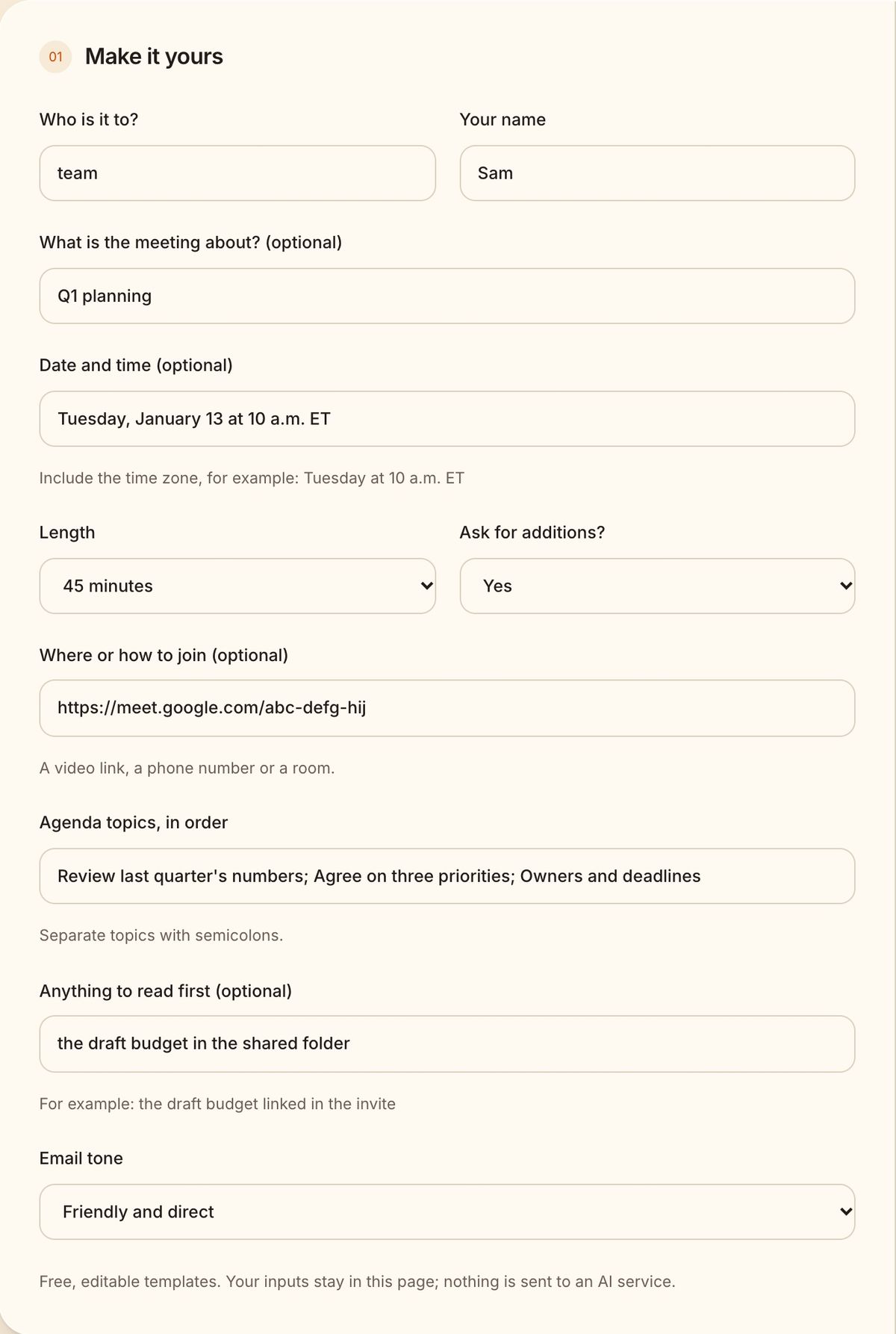
Type the topics in order, separated by semicolons, and add the time, length and link if you have them:
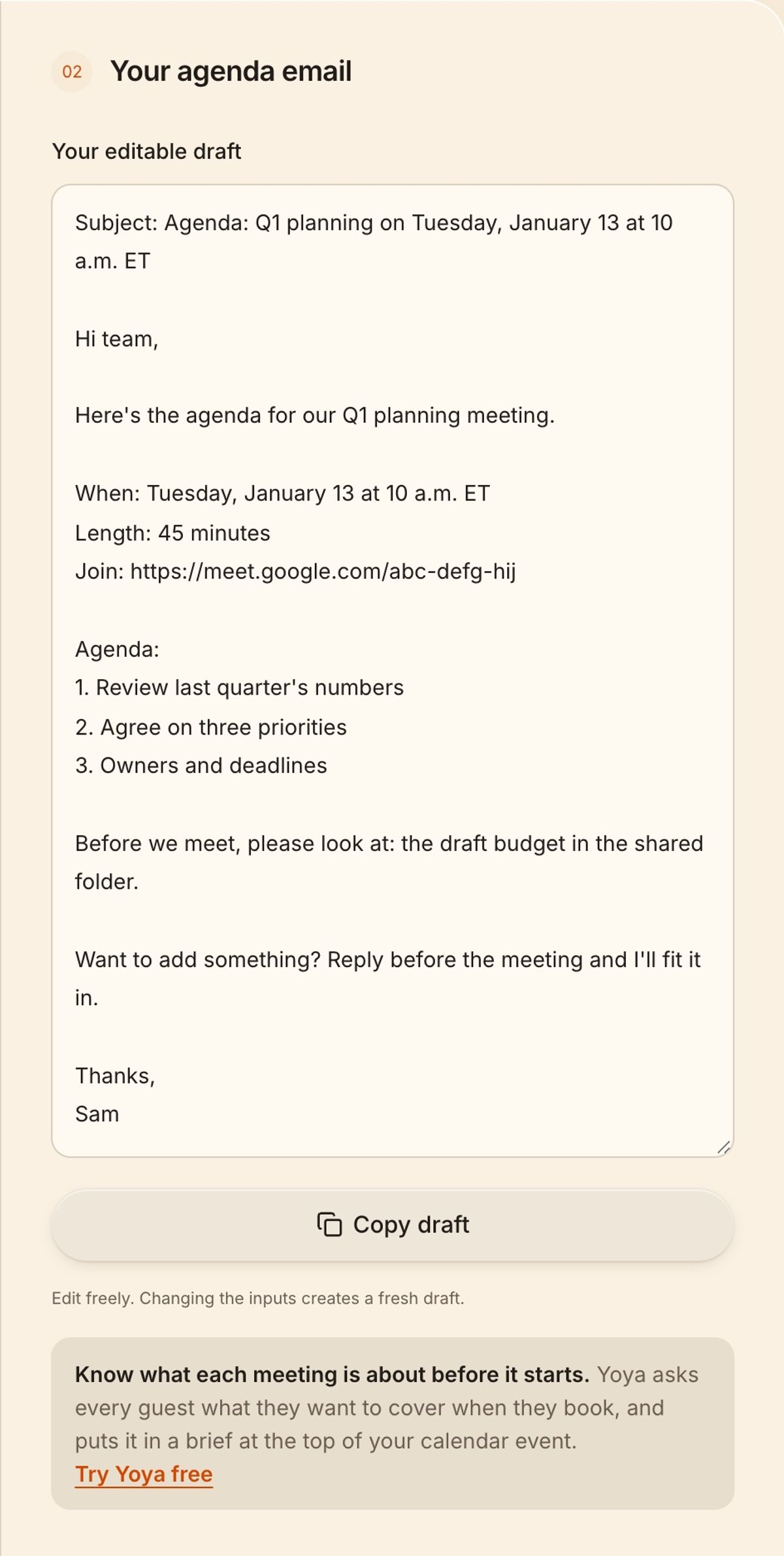
The generator numbers the topics and leaves out any detail you didn't fill in:
Agendas are easiest when you know why each person is coming. When people book time with you through Yoya, she asks what they want to cover before the meeting is booked and adds it to a brief on your calendar event, so the agenda is half written by the time you open it. If the meeting later has to move, here are reschedule meeting email templates.
FAQ
How do you write a meeting agenda email?
State the meeting's purpose, the date, time and length, then list the topics in order. Add anything people should read beforehand and how to suggest extra items.
When should you send a meeting agenda?
At least 24 hours before the meeting. For long meetings or meetings with decisions, send it two to three days ahead so people can read any attachments.
How many items should be on a meeting agenda?
Three to five for an hour. If you have more, split the meeting or move the smaller items to email.
More meeting email templates
- Reschedule meeting email samples and postponement wording
- Meeting confirmation email samples, with replies
- Meeting reminder email templates for the day before and the hour before
- Cancel meeting email samples for short notice
- Meeting request email templates and subject lines
- Follow-up email after a meeting: recaps and next steps
- Thank-you emails after a meeting, for clients, contacts and interviews
- How to decline a meeting politely, with email samples
- Follow-up email when a meeting request gets no reply
- Interview scheduling email templates for every round
- No-show email templates and text messages for clients